Corporate Café System
I turned a self-service kiosk request into a connected café system covering ordering, preparation, pickup, and operations.
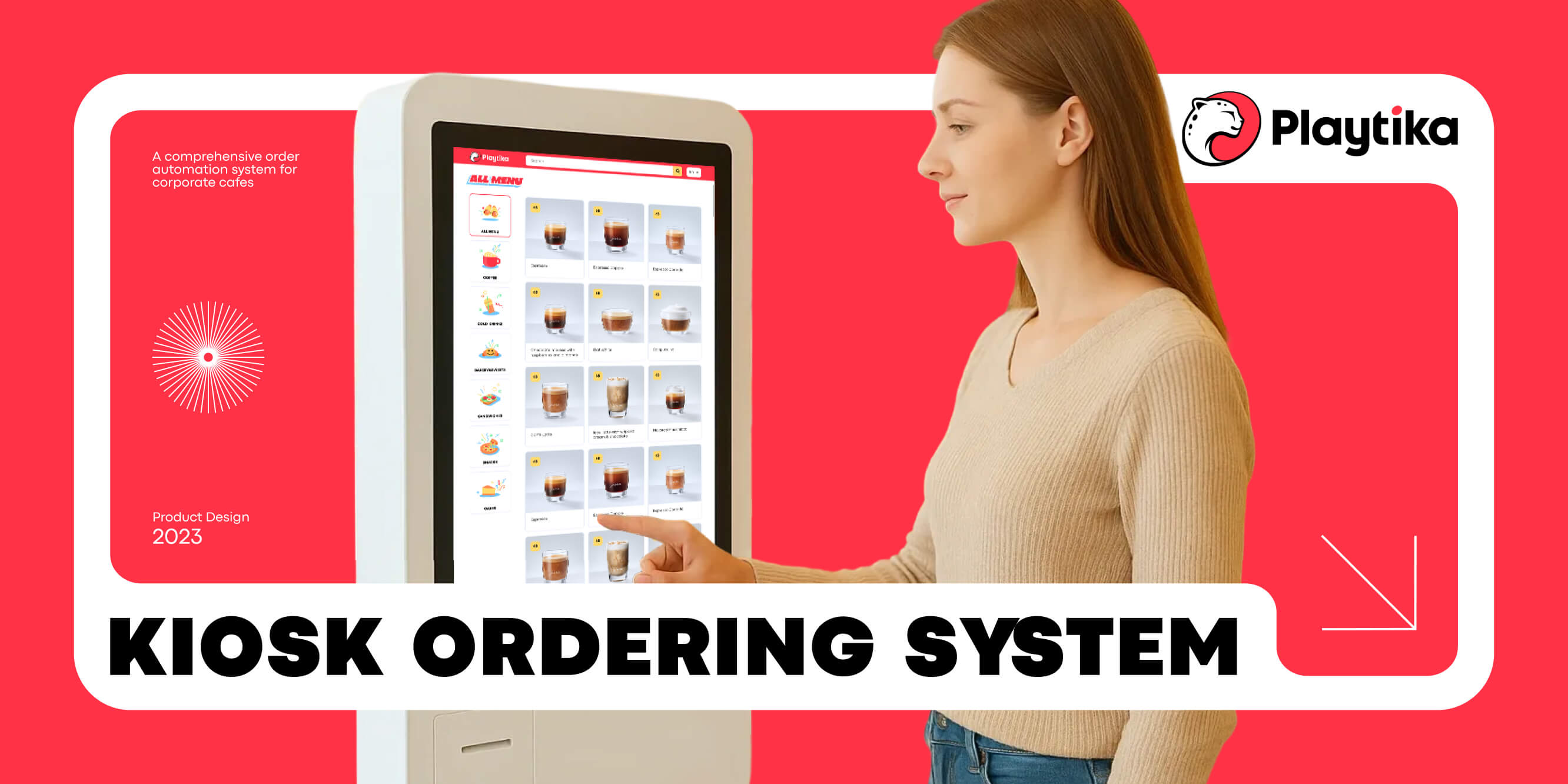
The client asked for a kiosk
Playtika had already purchased Windows kiosk hardware when the team approached us. The initial request sounded straightforward: create a self-service ordering application similar to the kiosks used in fast-food restaurants.
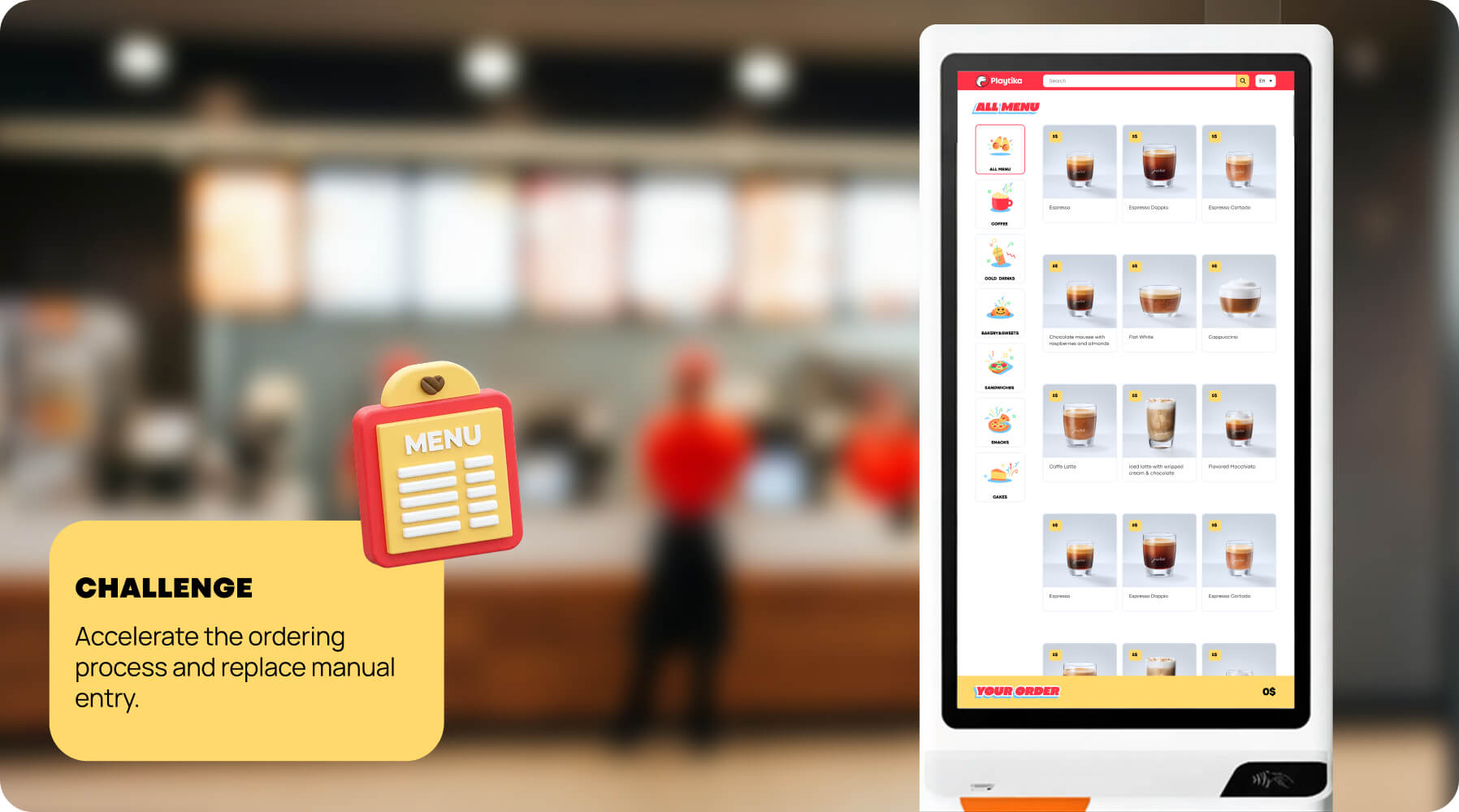
But a kiosk only covers the moment when an order is placed.
What happens after that?
How does the kitchen receive the order? How does a barista update its status? How does an employee know when it is ready? Who manages the menu? Where is order history stored?
As we mapped the process together, it became clear that the visible queue was only one part of a larger operational problem.
What happens after that?
How does the kitchen receive the order? How does a barista update its status? How does an employee know when it is ready? Who manages the menu? Where is order history stored?
As we mapped the process together, it became clear that the visible queue was only one part of a larger operational problem.
A kiosk without a connected preparation and pickup workflow would not remove the bottleneck. It would simply move it from the counter to the kitchen.
What we knew — and what we didn’t
I worked primarily with two Playtika representatives who understood the café operation and were responsible for implementing the new system.
Through working sessions, we mapped the existing process and discussed the physical environment, order handling, employee rules, hardware, and future rollout across countries.
Through working sessions, we mapped the existing process and discussed the physical environment, order handling, employee rules, hardware, and future rollout across countries.
We knew that:
I worked primarily with two Playtika representatives who understood the café operation and were responsible for implementing the new system.
Through working sessions, we mapped the existing process and discussed the physical environment, order handling, employee rules, hardware, and future rollout across countries.
Through working sessions, we mapped the existing process and discussed the physical environment, order handling, employee rules, hardware, and future rollout across countries.
One kiosk became a connected system
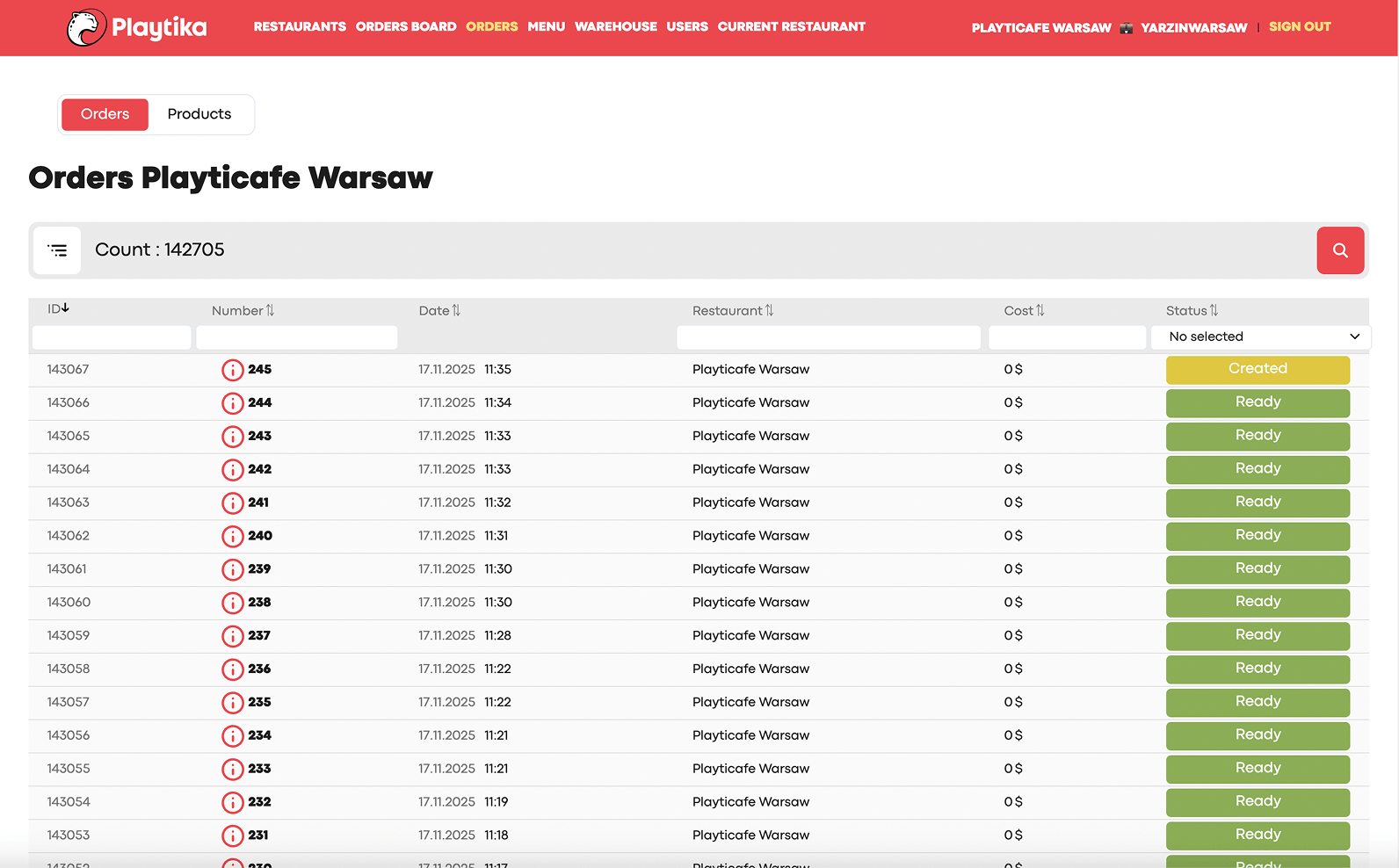
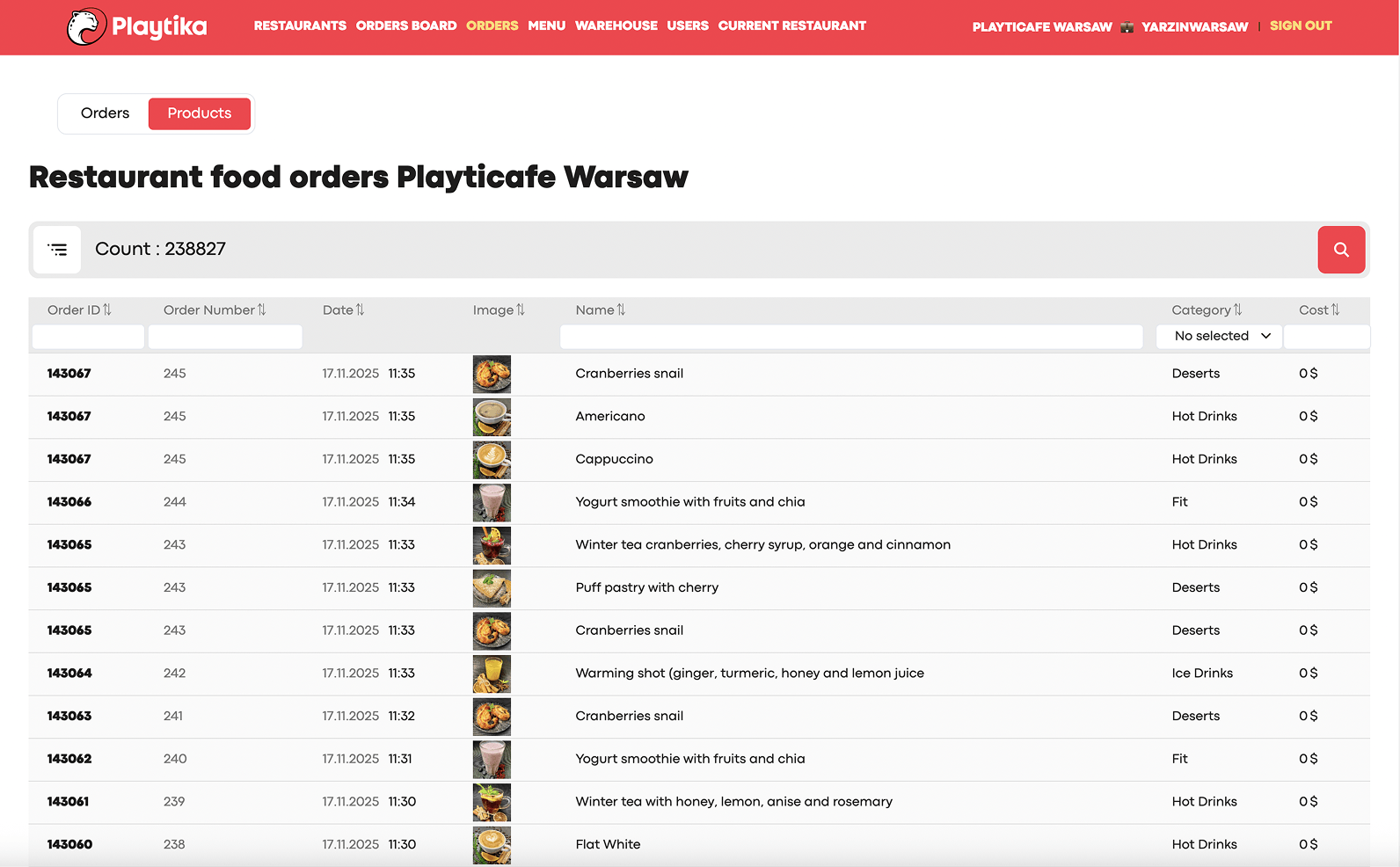
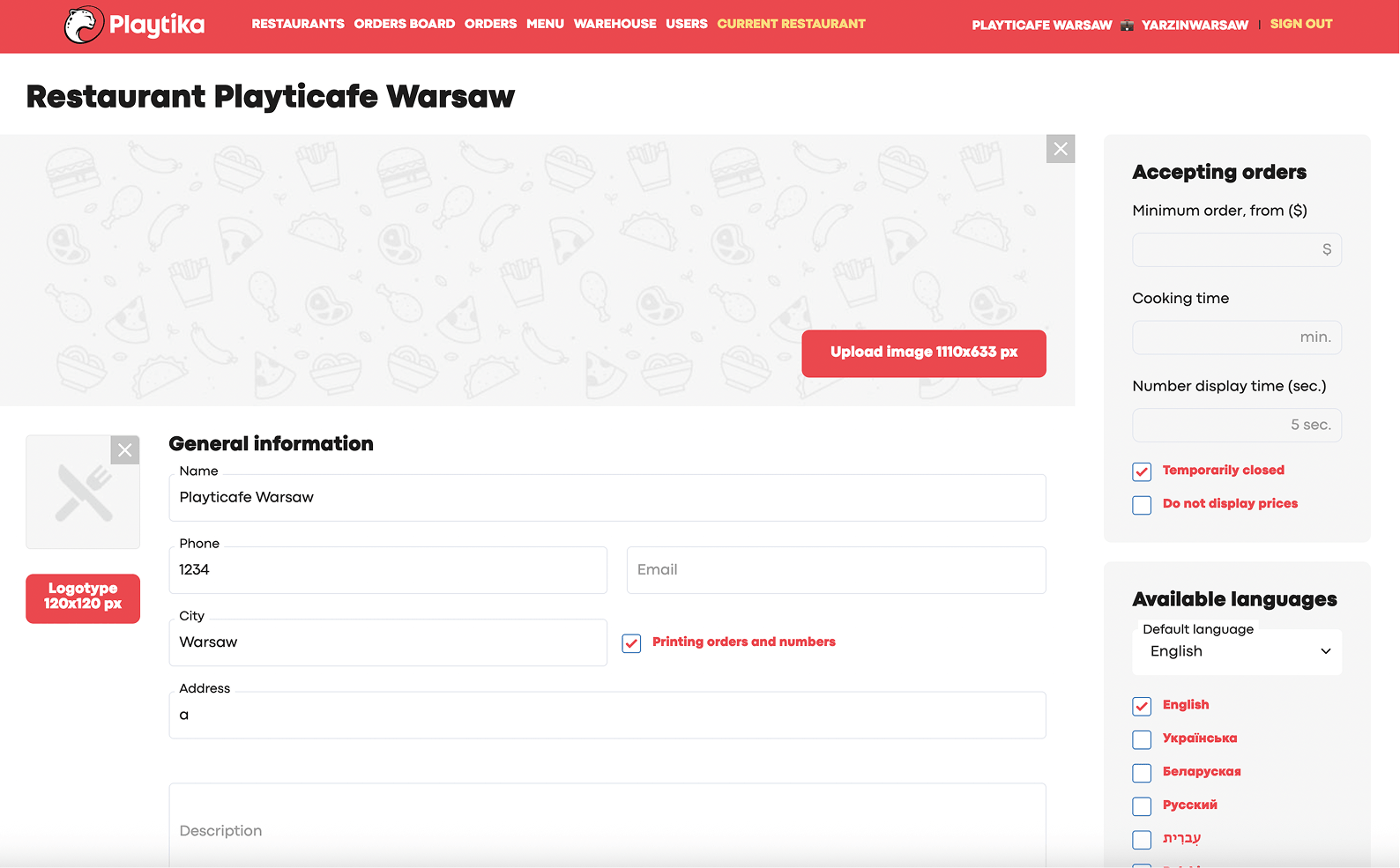
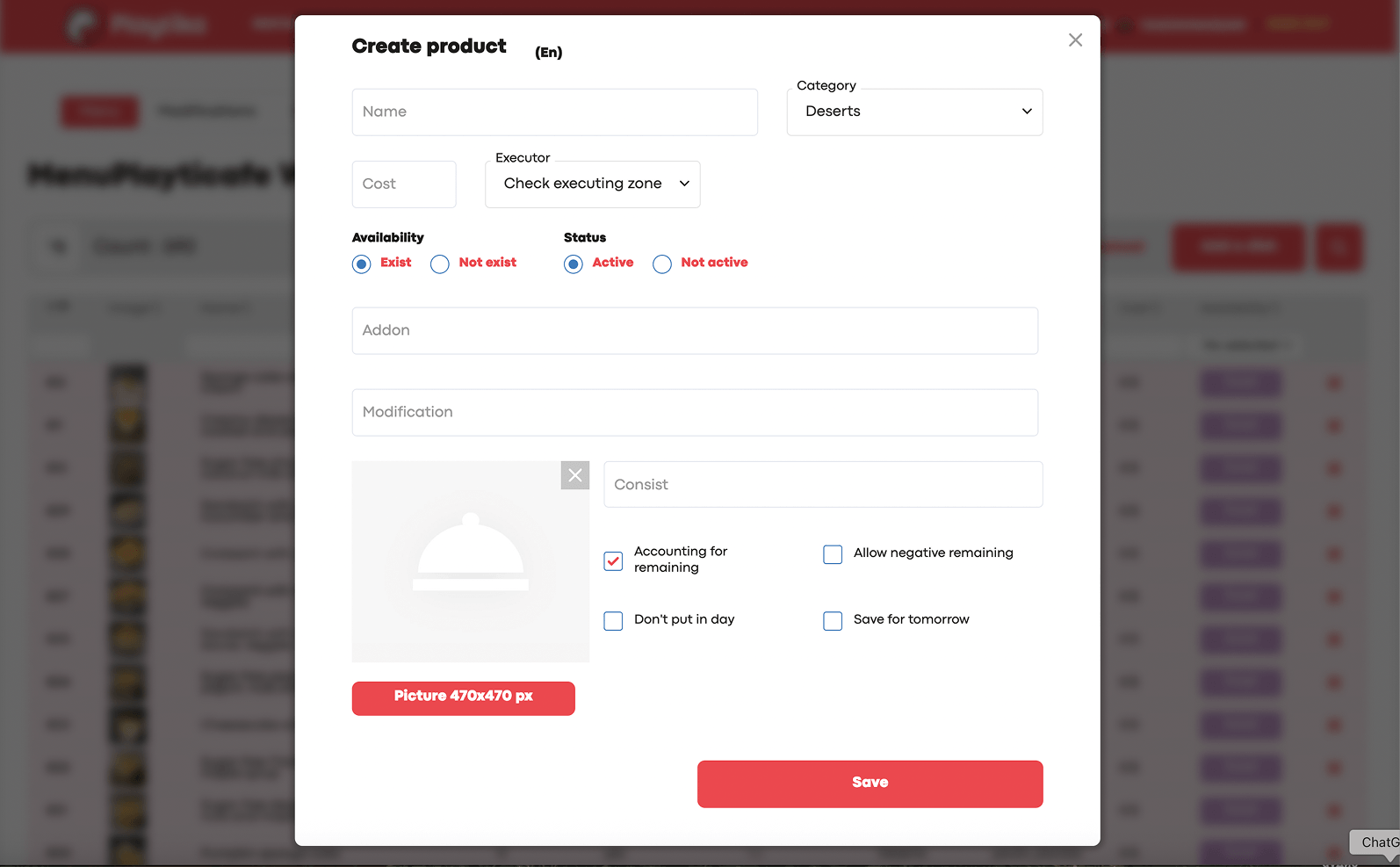
Mapping the complete order journey resulted in several connected product areas.
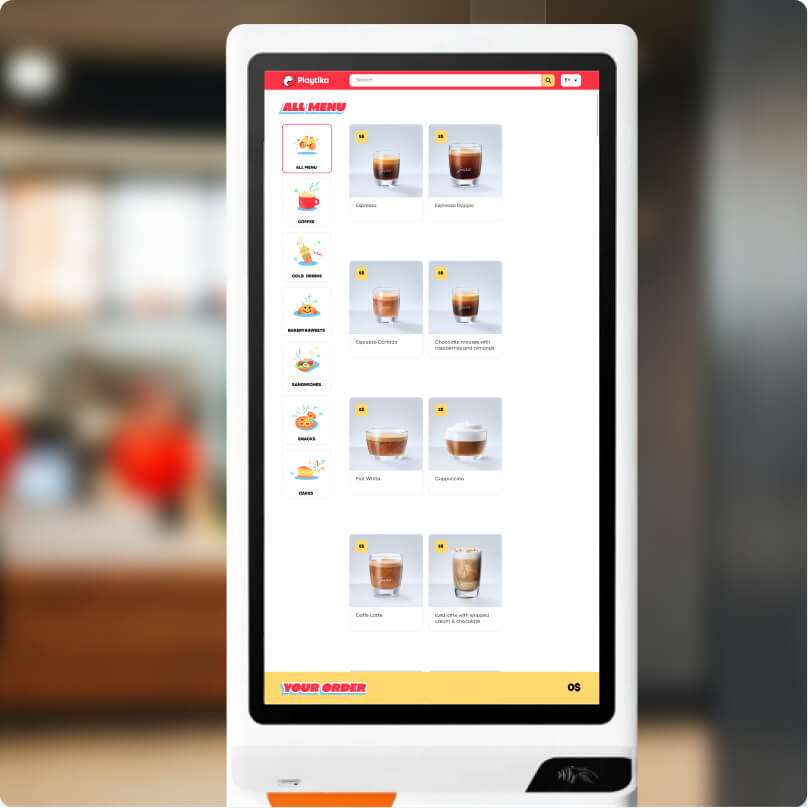
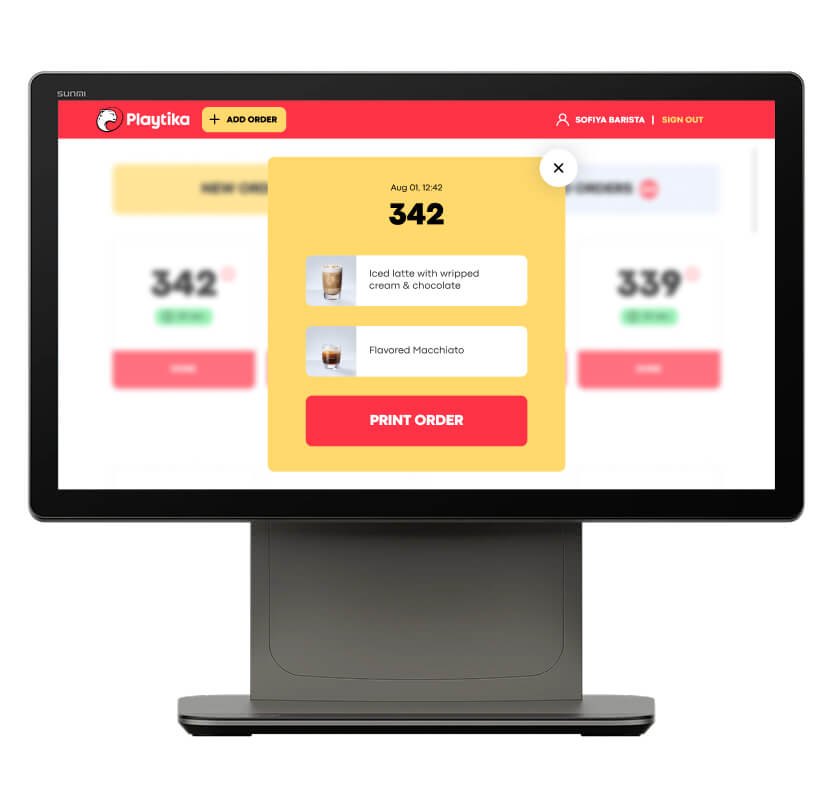
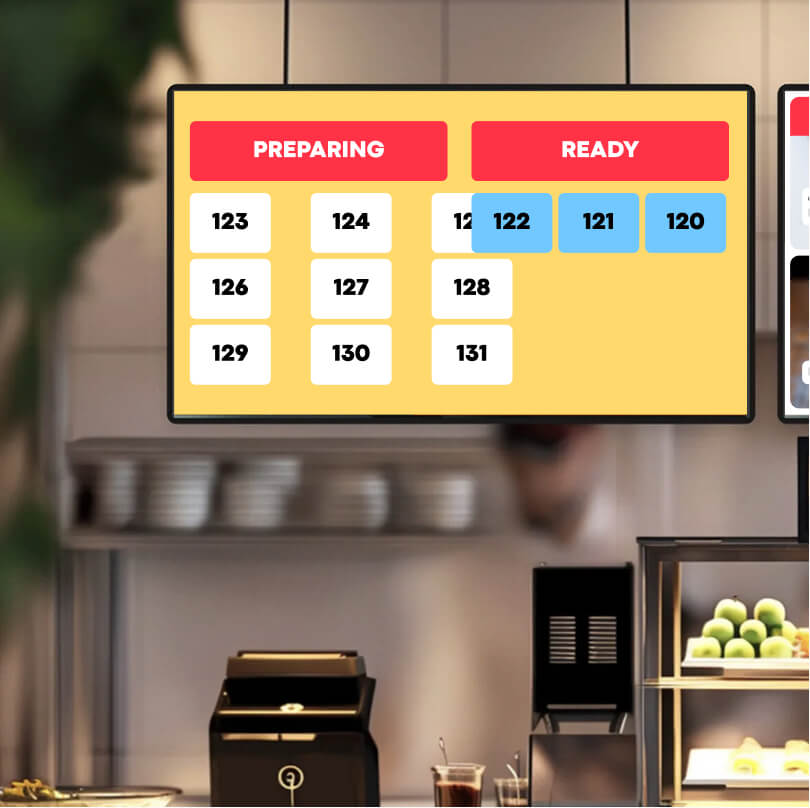
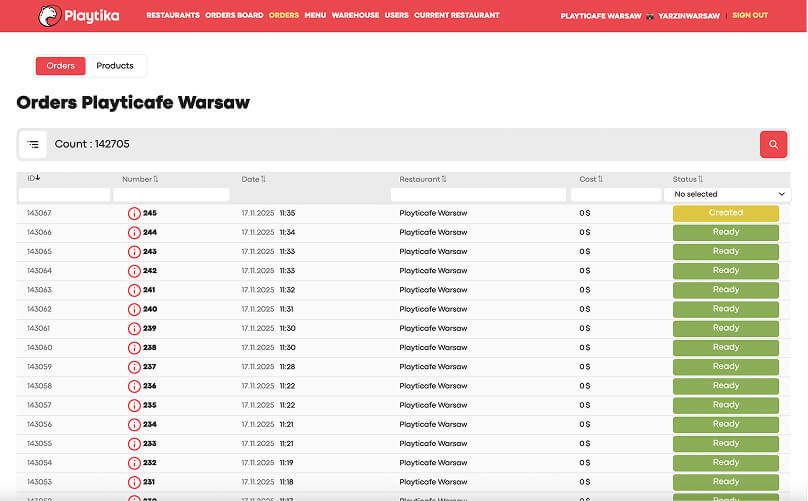
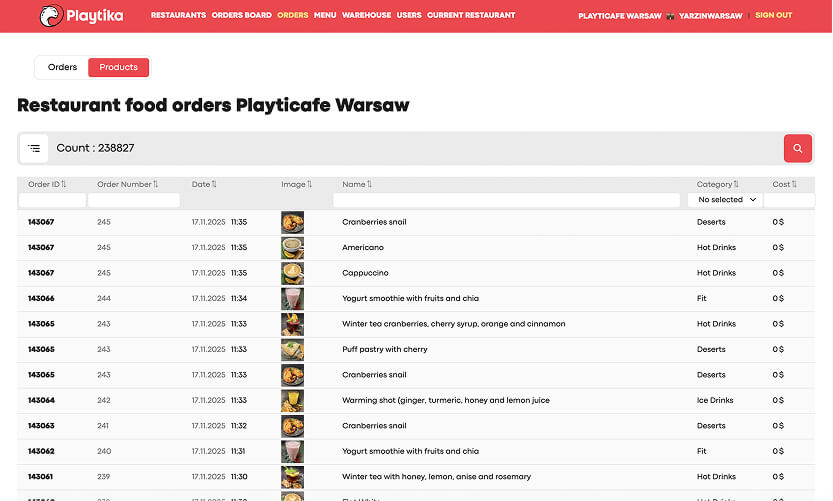
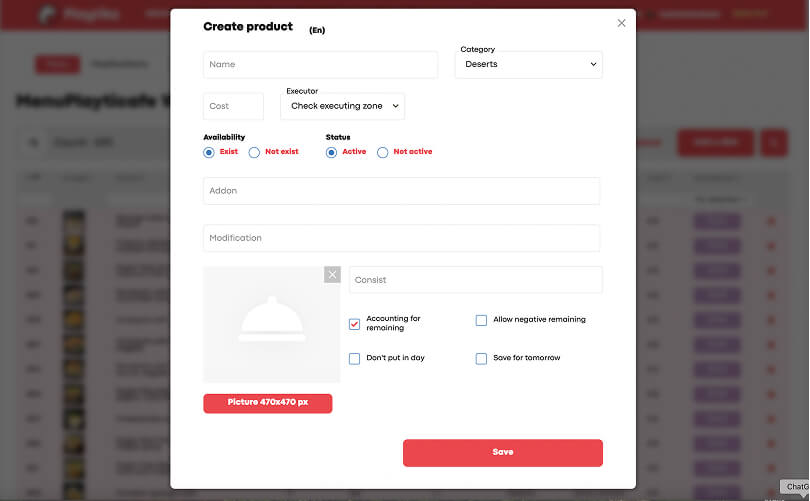
Together, these products formed one workflow:
Scan card → place order → print tickets → prepare → update status → display readiness → collect order → store data → collect feedback
Scan card → place order → print tickets → prepare → update status → display readiness → collect order → store data → collect feedback
Why we kept paper in a digital system
A fully digital kitchen interface was an obvious option.
It could display every incoming order, its products, modifiers, and status in one place. On a mockup, this seemed cleaner and more modern.
But the barista’s workplace was not a clean digital environment. It could be noisy and messy. Staff often had occupied or dirty hands, and repeatedly opening detailed cards on a touchscreen would slow down preparation.
It could display every incoming order, its products, modifiers, and status in one place. On a mockup, this seemed cleaner and more modern.
But the barista’s workplace was not a clean digital environment. It could be noisy and messy. Staff often had occupied or dirty hands, and repeatedly opening detailed cards on a touchscreen would slow down preparation.
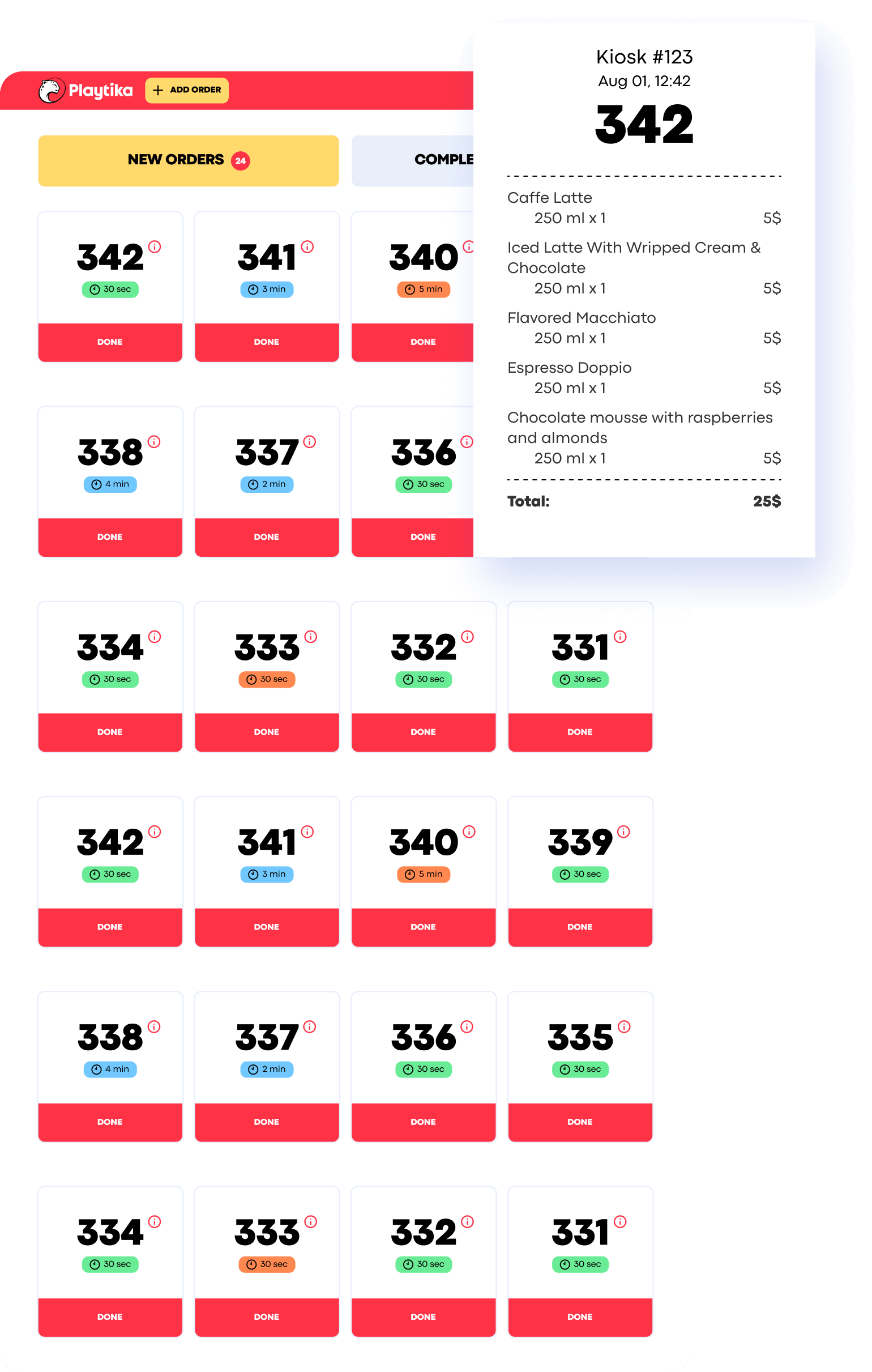
We traded digital purity for operational reliability.
The solution still depended on paper and printer hardware. But it reduced the amount of touchscreen interaction at the most sensitive point of the workflow.
Making configurable products feel simple
The café offered both straightforward products and items with modifiers. A coffee, for example, could require several choices: size, milk, syrup, or additional ingredients. Showing every option at once would turn a quick kiosk interaction into a complex form.
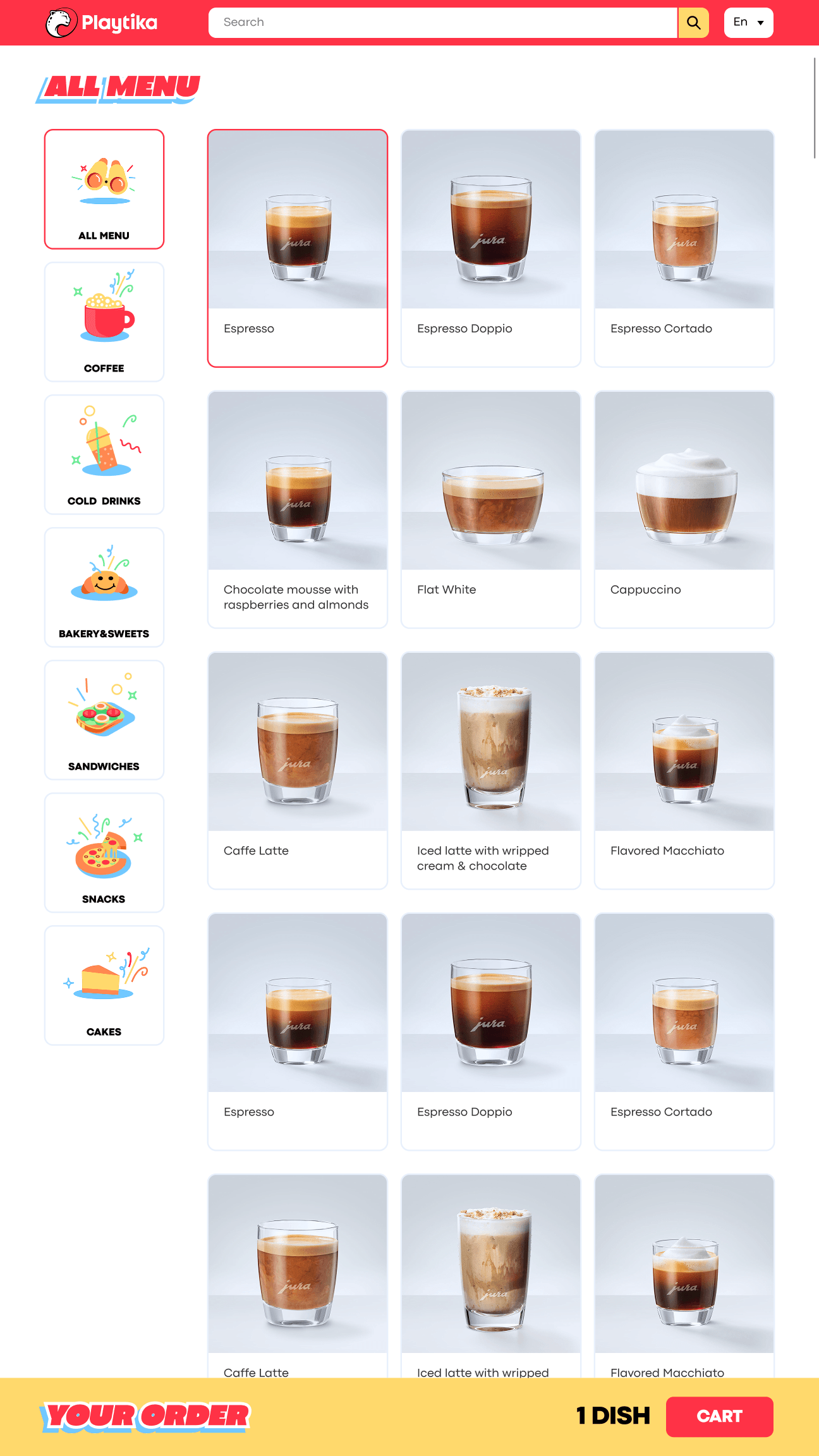
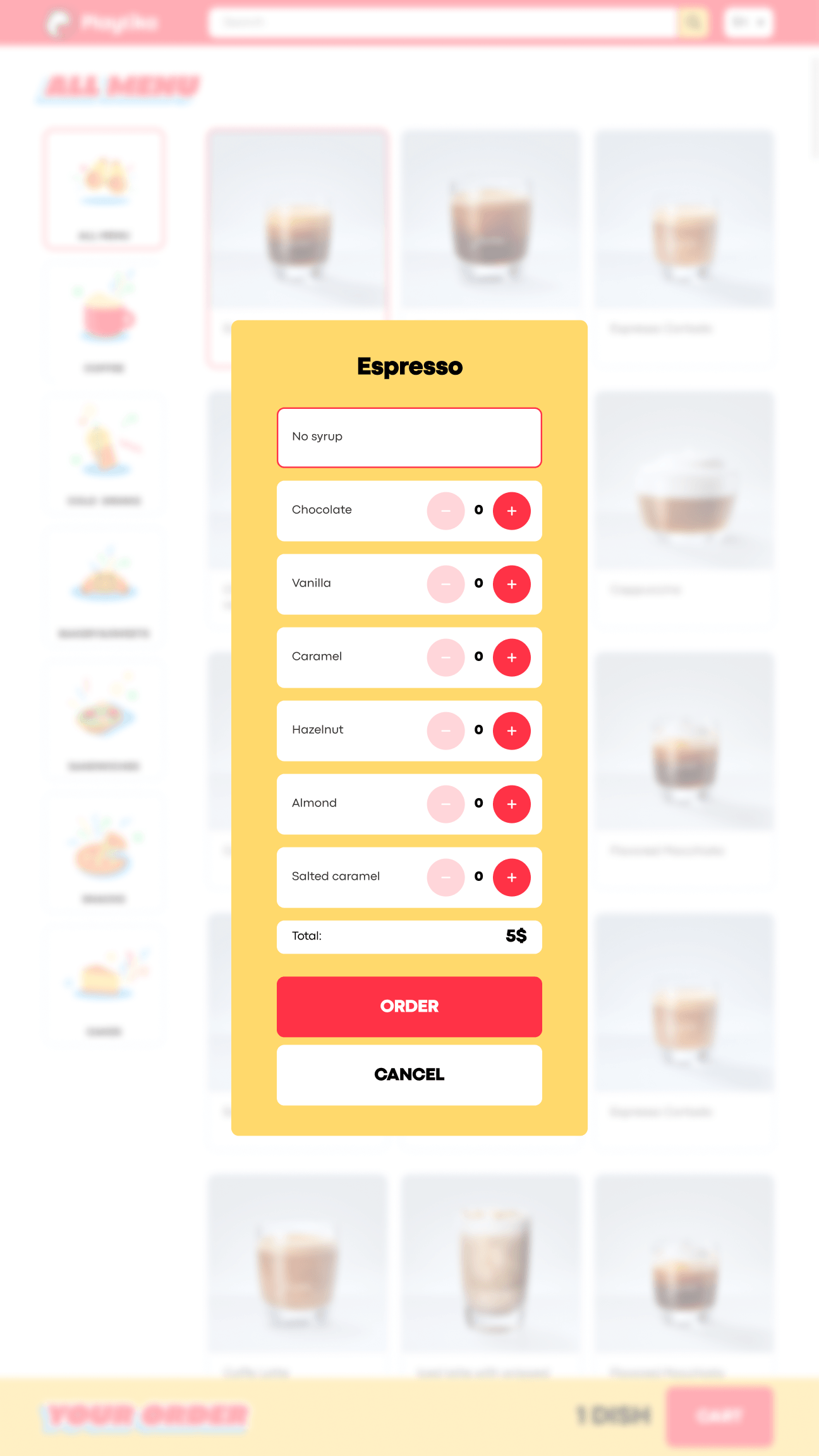
I structured the ordering flow around progressive decisions:
Select category → choose product → configure relevant modifiers → review cart → submit order
Select category → choose product → configure relevant modifiers → review cart → submit order
Each step exposed only the options relevant at that moment. The assumption was simple: employees should be able to complete an order without instructions, even if they were using the kiosk for the first time.
The cart users couldn’t see
The first version used a horizontally scrollable cart.
It allowed the cart to remain visible without taking too much vertical space. In theory, users could swipe sideways to review every selected product.
In practice, they did not.
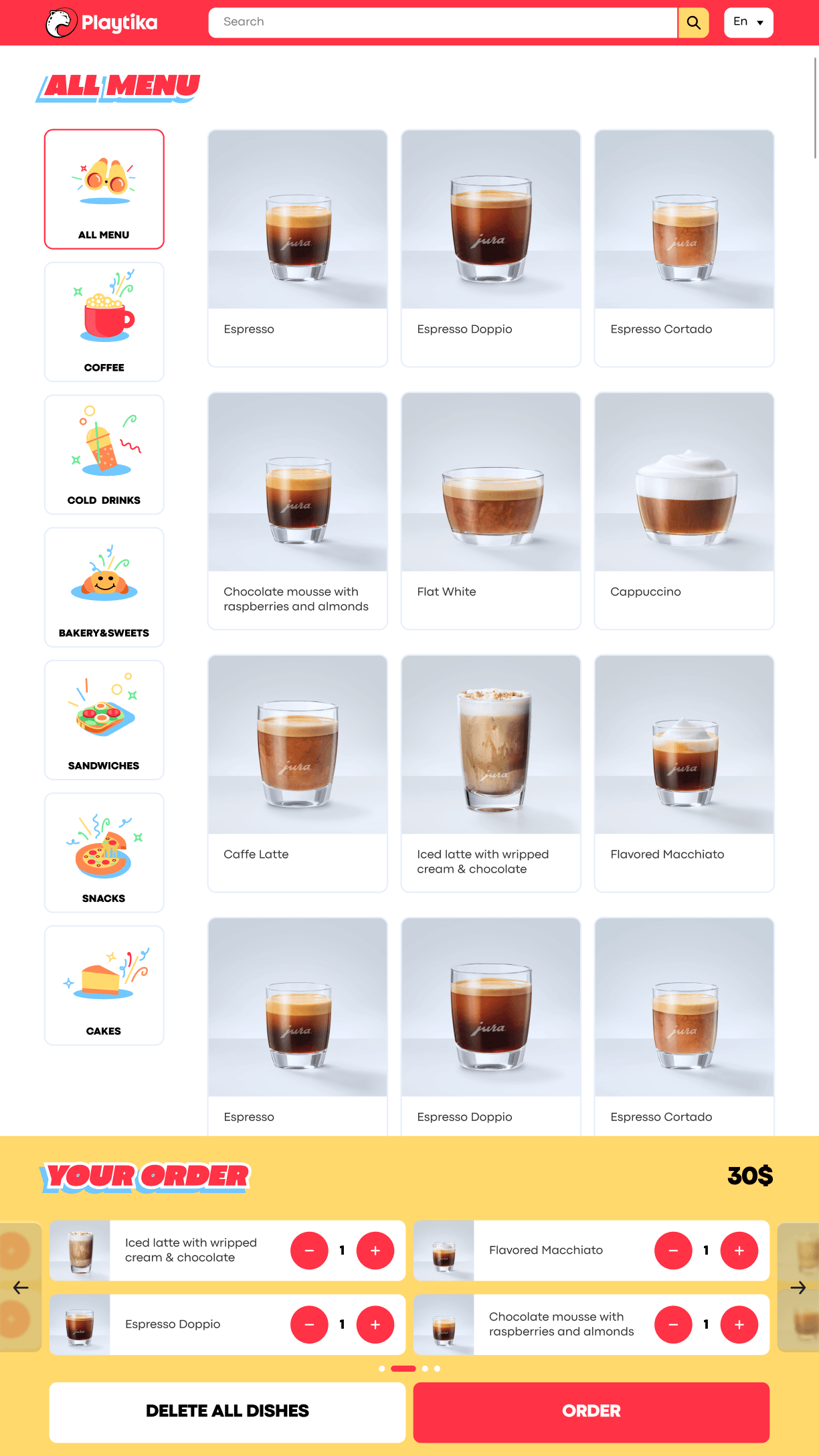
The revised version showed less detail by default, but made the state of the order much clearer.
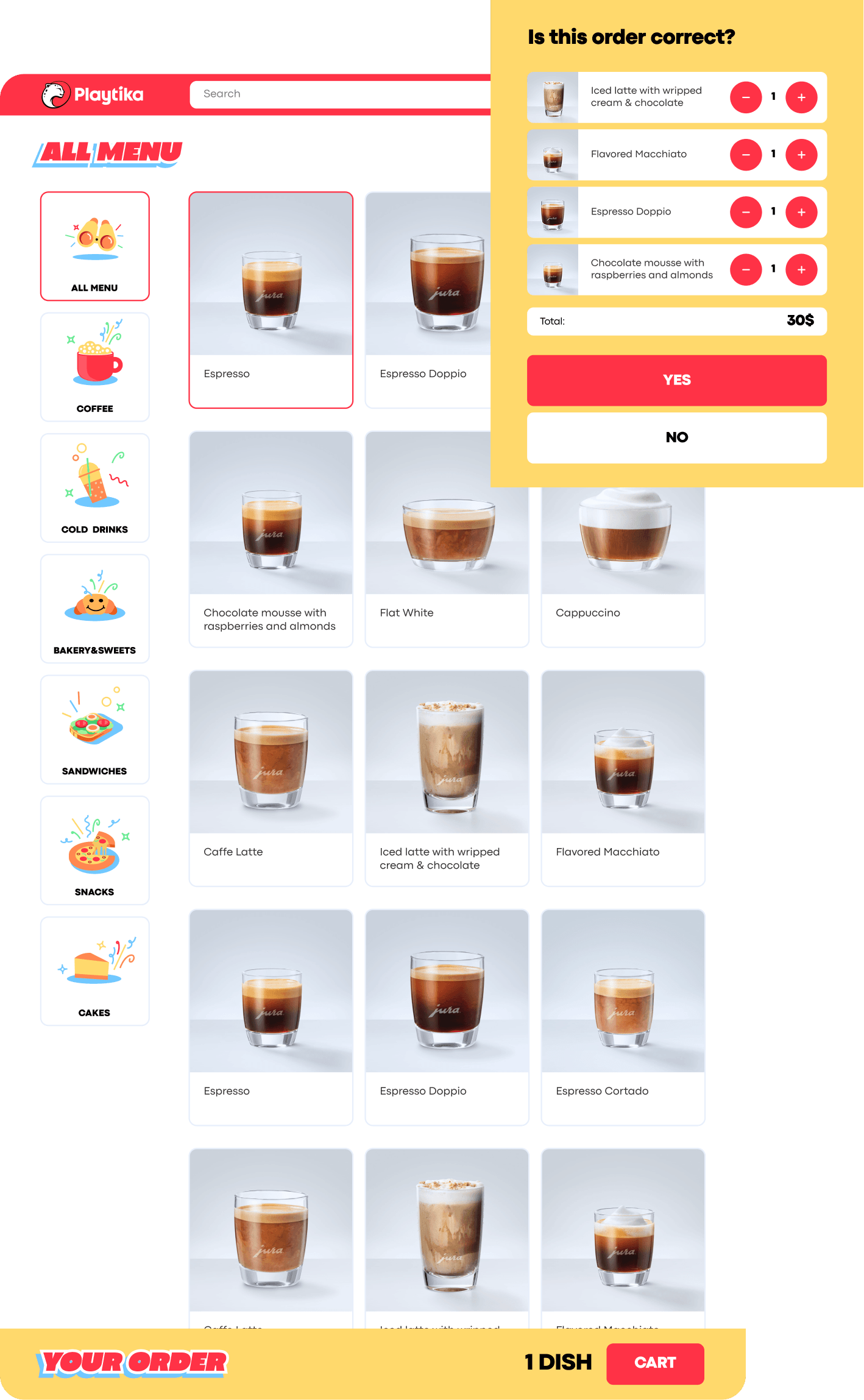
This was also a useful reminder that familiar desktop patterns may not be discoverable on a public touchscreen.
The kiosk was not a payment terminal
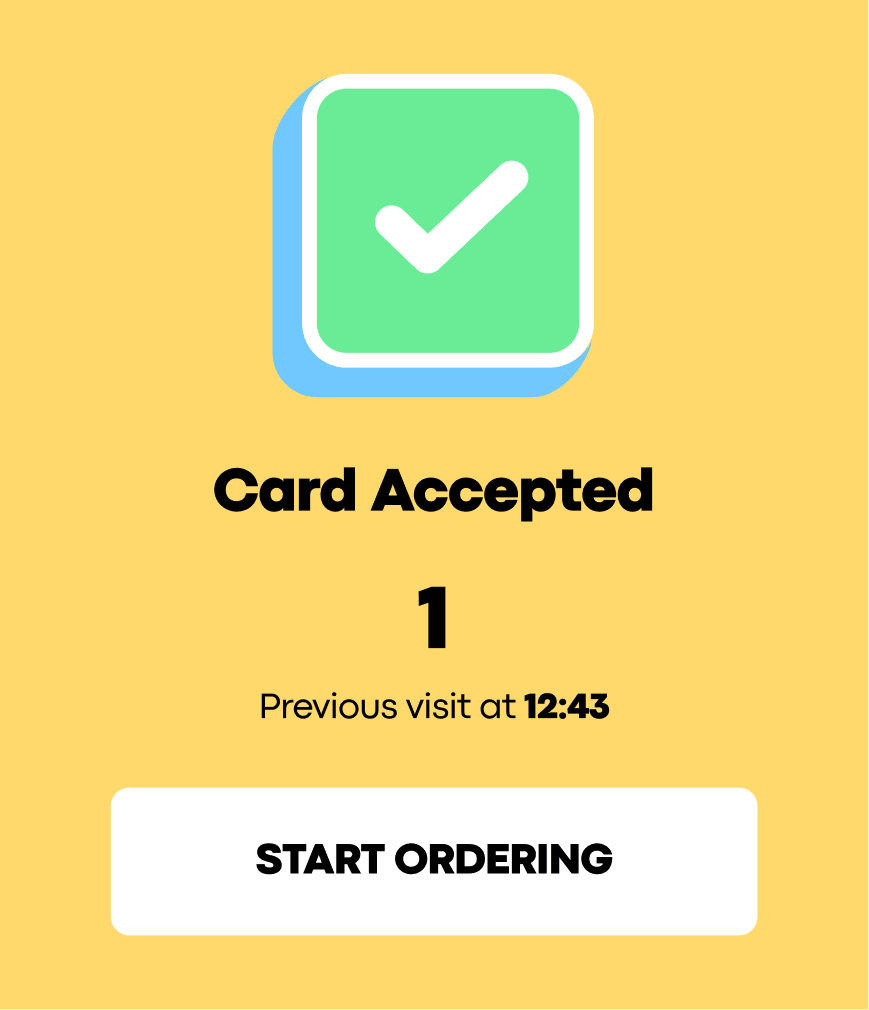
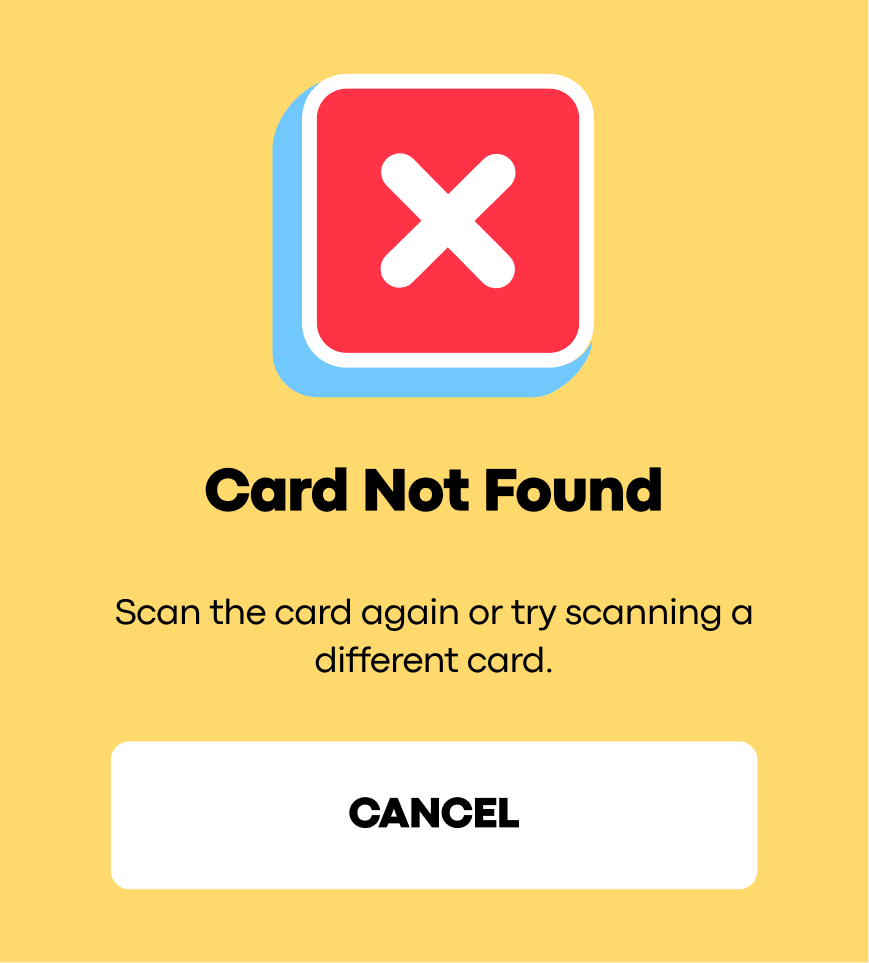
The corporate cafés were free for employees, so there was no payment flow. However, employees had a limited number of café visits or orders per day. Before ordering, they had to scan a corporate card.
This required clear feedback for several different situations:
Without a clear validation state, a denied order and a technical failure could look identical.
The card flow was added and refined as the product became connected to Playtika’s internal rules rather than functioning as a standalone menu kiosk.
The card flow was added and refined as the product became connected to Playtika’s internal rules rather than functioning as a standalone menu kiosk.

From an MVP to an operational platform
The first version was designed within one working week.
Rather than trying to predict every future requirement, we established the core workflow and then developed the product through real usage.
Later iterations included:
Outcomes
The system processes more than 800 daily orders across Playtika’s corporate cafés. This is the strongest quantitative indicator available because it comes directly from production usage.
The queue stopped being the main problem
According to the client team, queues were no longer the primary operational concern after implementation.
The team’s attention shifted toward kitchen performance and food quality — a signal that the initial ordering bottleneck had been reduced.
This is the strongest quantitative indicator available because it comes directly from production usage.
This is the strongest quantitative indicator available because it comes directly from production usage.
Deployment across several countries
The system has been used in offices in approximately four countries, supported by multilingual interfaces and configurable café settings.
A traceable order workflow
A product that continued to grow
Playtika continued requesting improvements after launch. The system became part of the ongoing café operation rather than remaining a short-term experiment.
My contribution was defining how the workflow should work as a connected system.
Playtika came to us with a kiosk. The real work was designing everything that had to happen around it.
A kiosk without a staff workflow would only move the queue.
A staff workflow without a public display would leave employees uncertain. A set of interfaces without management tools would be difficult to operate across several cafés.
The result was not just a self-service screen, but a connected café system that has continued to evolve since 2023.
A kiosk without a staff workflow would only move the queue.
A staff workflow without a public display would leave employees uncertain. A set of interfaces without management tools would be difficult to operate across several cafés.
The result was not just a self-service screen, but a connected café system that has continued to evolve since 2023.
