Omnichannel Support System
How I unified four customer-support channels, subscriber context, and operator workflows in one product.
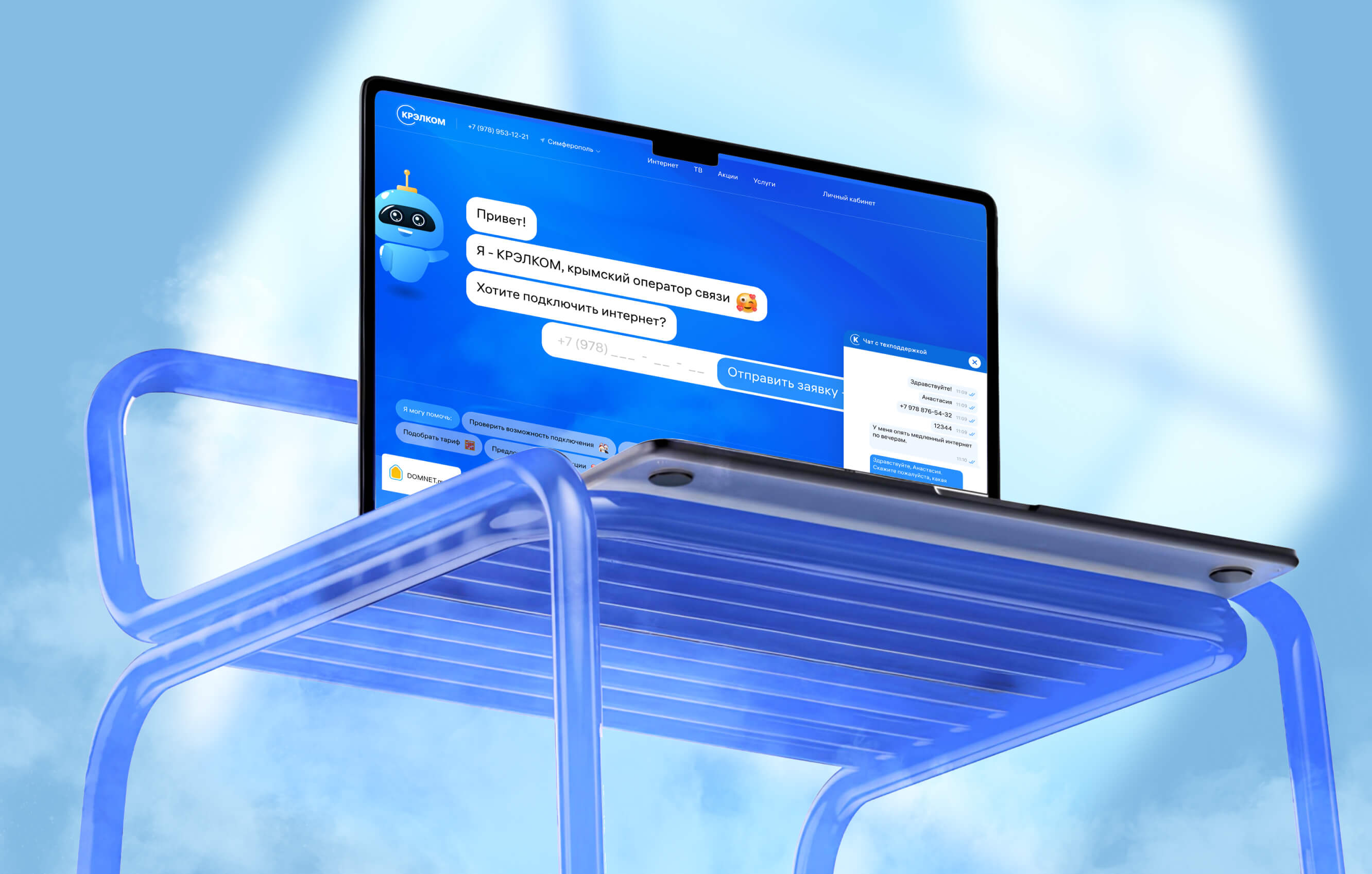
The project started as a replacement
Krelcom initially needed to replace an existing customer-support service because of new regulatory restrictions.
There were already many chat products on the market. But ready-made systems either included unnecessary complexity or lacked functionality required by the support team.
More importantly, the team’s problem was not limited to the chat interface.
There were already many chat products on the market. But ready-made systems either included unnecessary complexity or lacked functionality required by the support team.
More importantly, the team’s problem was not limited to the chat interface.

A customer could contact the company through the website, an application, VK, or Telegram. Operators worked with these sources separately and often had to reconstruct the context from the beginning:
- Who is this subscriber?
- What is their contract number?
- Have they contacted support before?
- Has another operator already worked on the issue?
These questions defined the product architecture. Every conversation needed to preserve three connected layers of context: the customer’s identity, the history of the issue, and the team’s current responsibility for resolving it.
- Who is this subscriber?
- What is their contract number?
- Have they contacted support before?
- Has another operator already worked on the issue?
These questions defined the product architecture. Every conversation needed to preserve three connected layers of context: the customer’s identity, the history of the issue, and the team’s current responsibility for resolving it.
We were not designing another messaging window. We were designing one working context around every customer request.
Keeping the workspace familiar
Operators spend entire shifts inside the same interface. Replacing familiar support patterns with a novel interaction model would increase learning time and operational risk without improving the core workflow.
I kept the overall structure recognisable and concentrated the design work on prioritisation, context, and responsibility — the areas where the existing tools were failing.
I kept the overall structure recognisable and concentrated the design work on prioritisation, context, and responsibility — the areas where the existing tools were failing.
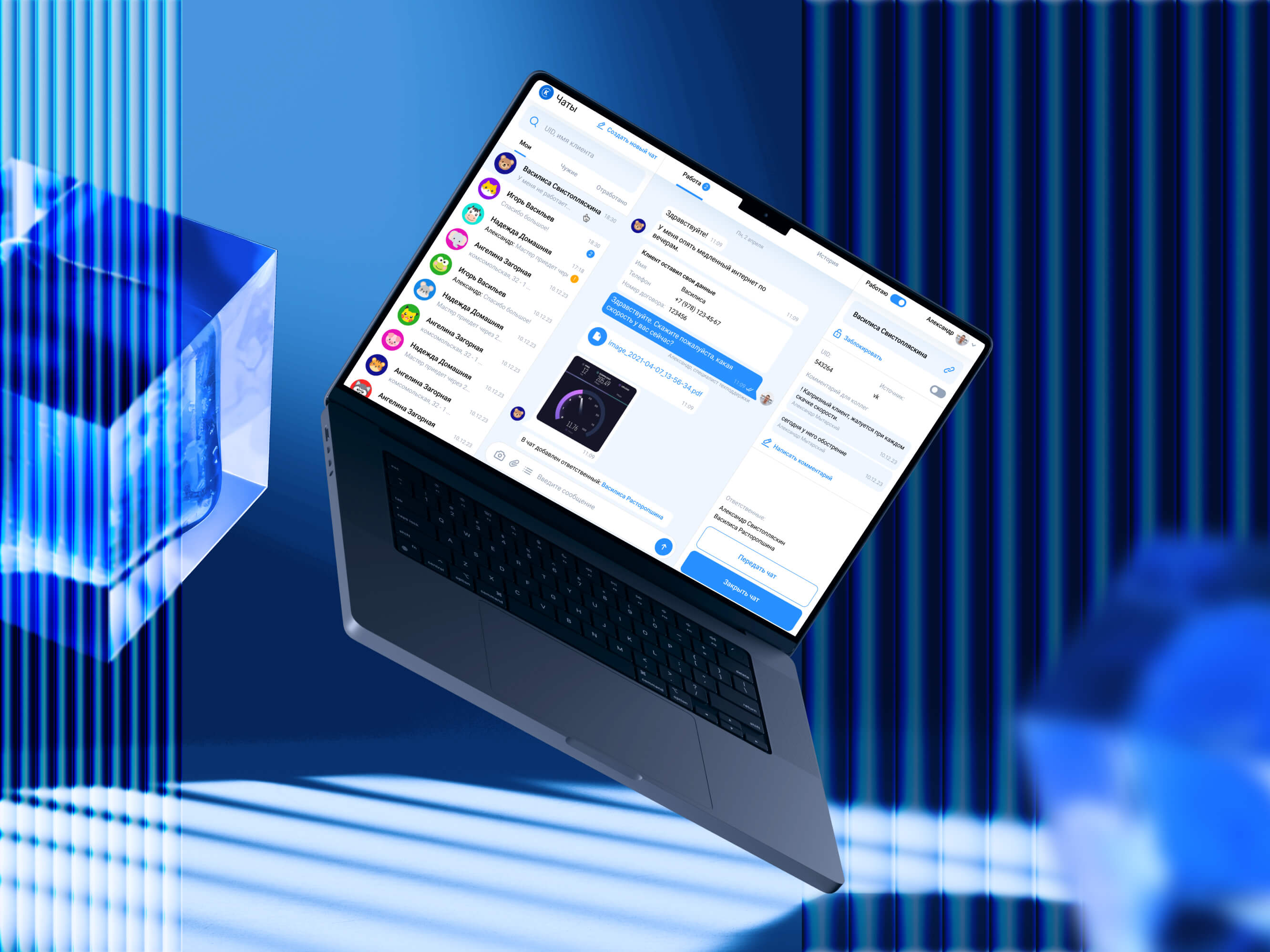
The workspace keeps together:
messages and attachments;
subscriber and contract information;
previous context and internal comments;
responsible operators;
transfer and closure actions.
We considered hiding the subscriber profile in a modal or expandable panel. Operators preferred seeing it while communicating, so we accepted a denser screen in exchange for fewer context switches.
Familiar structure made the system easier to adopt.
Careful prioritisation made it useful.
Careful prioritisation made it useful.
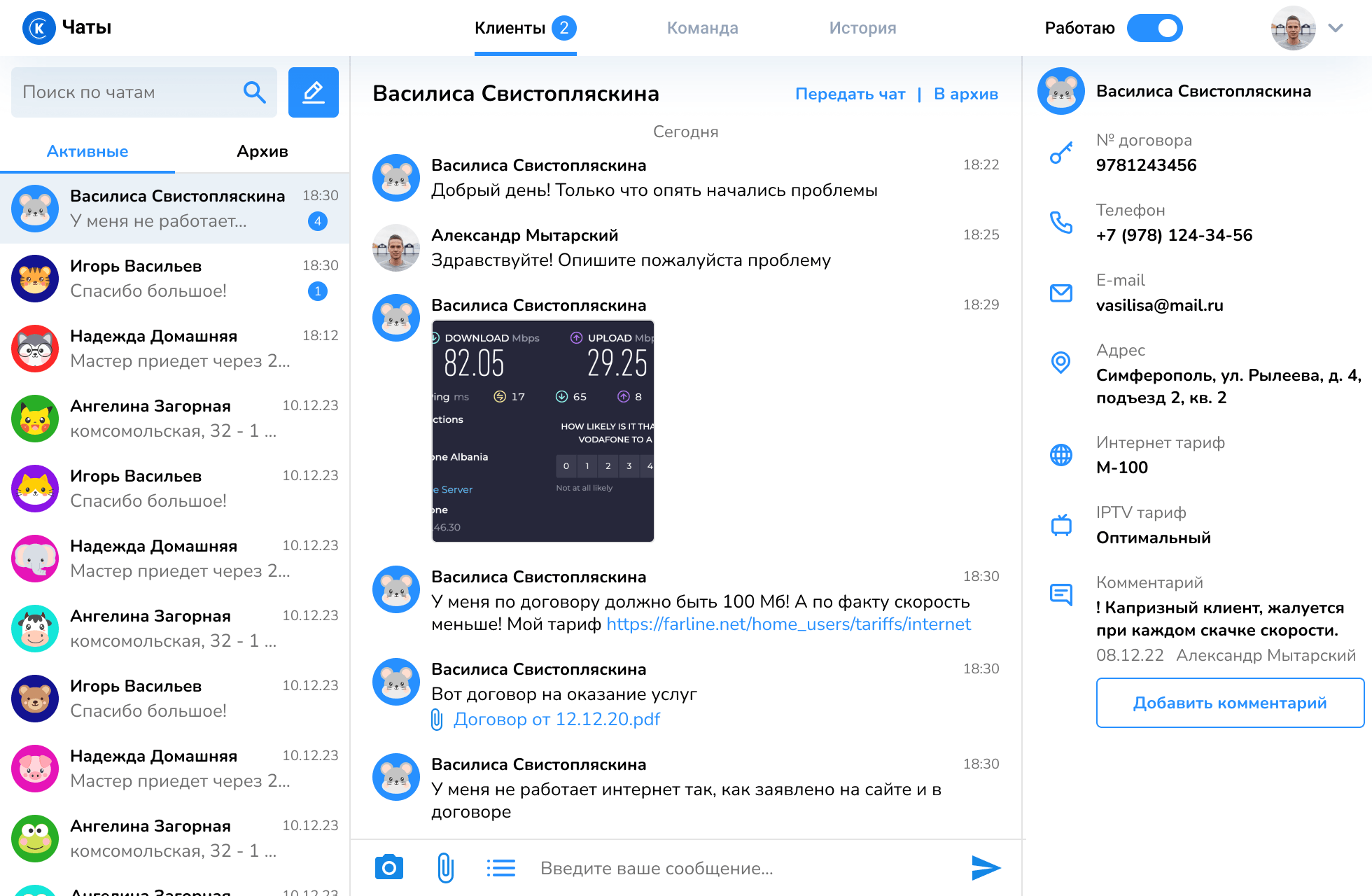
The main operator workspace
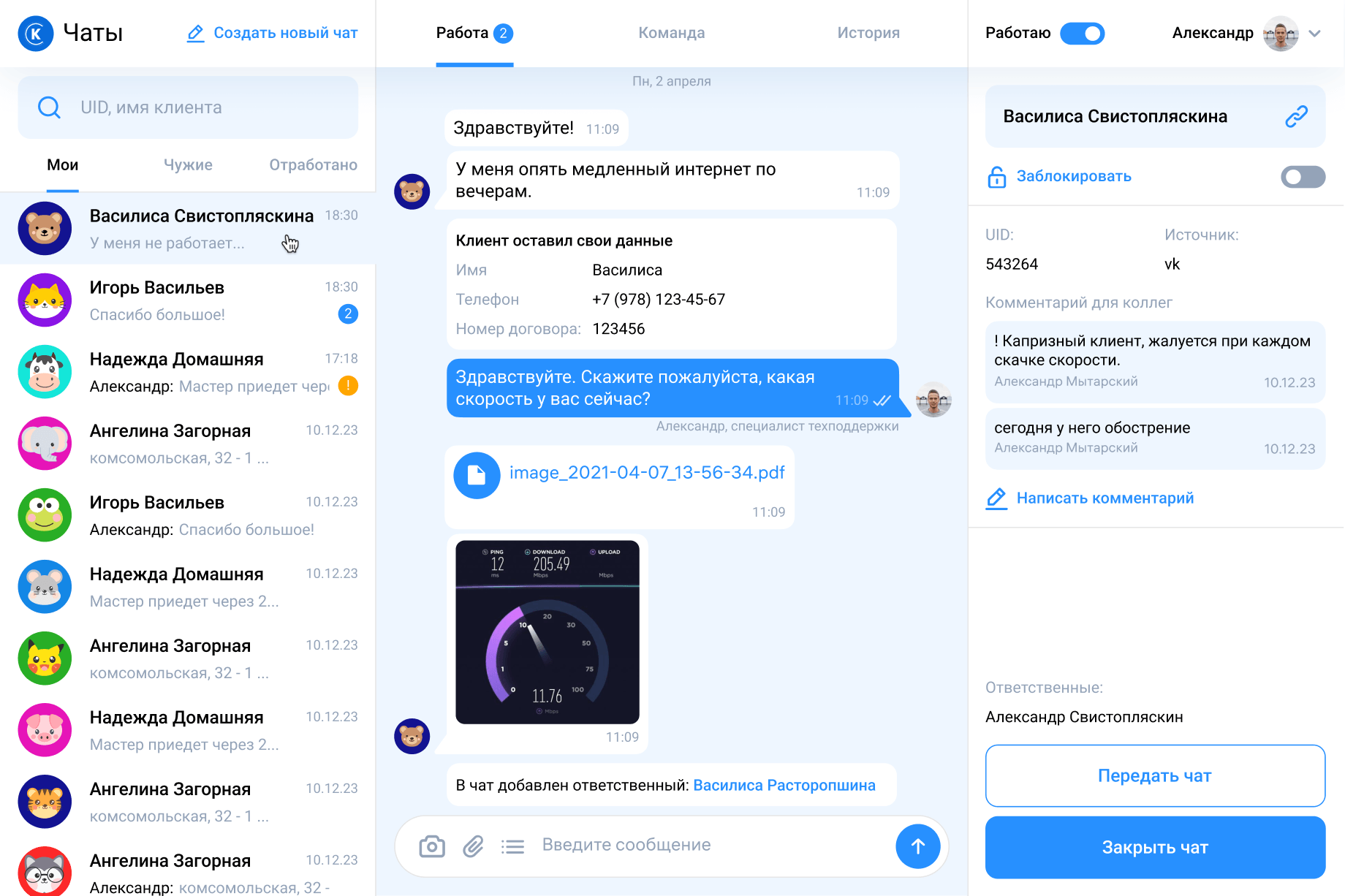
Prioritised queue
“My chats” keeps the operator focused on requests they are currently responsible for. Conversations handled by colleagues and completed requests remain accessible without competing for attention.
Subscriber context stays visible
Contract details, source, internal comments, and responsible employees are available without leaving the conversation.
One conversation timeline
Messages, attachments, client details, operator actions, and system events remain in the same flow.
Frequent actions stay close
Operators can transfer, close, block, translate, or add context without navigating to another section.
“My chats” keeps the operator focused on requests they are currently responsible for. Conversations handled by colleagues and completed requests remain accessible without competing for attention.
Subscriber context stays visible
Contract details, source, internal comments, and responsible employees are available without leaving the conversation.
One conversation timeline
Messages, attachments, client details, operator actions, and system events remain in the same flow.
Frequent actions stay close
Operators can transfer, close, block, translate, or add context without navigating to another section.
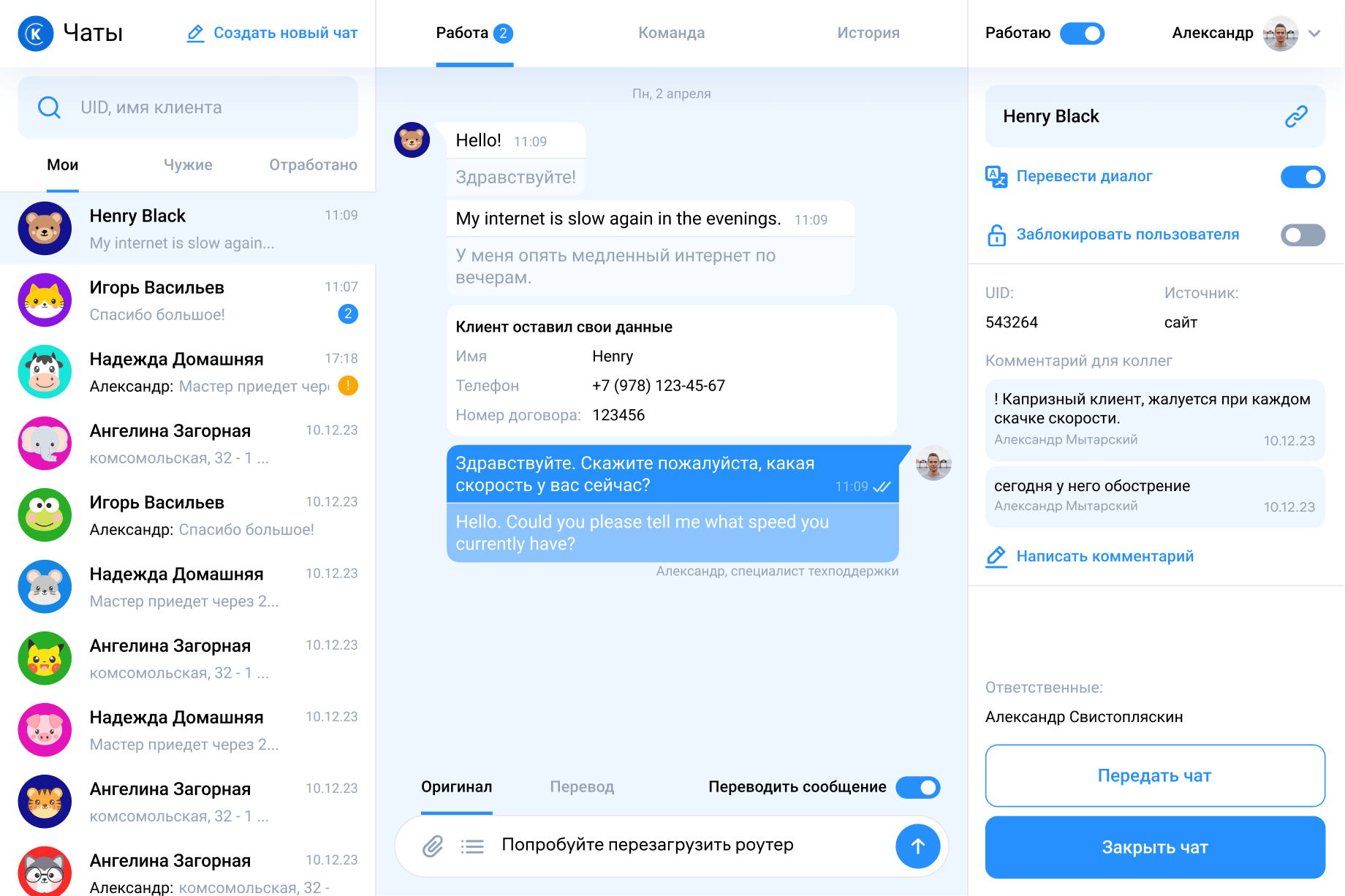
Built-in translation
Operators can translate incoming and outgoing messages without copying them into an external service.
Response templates
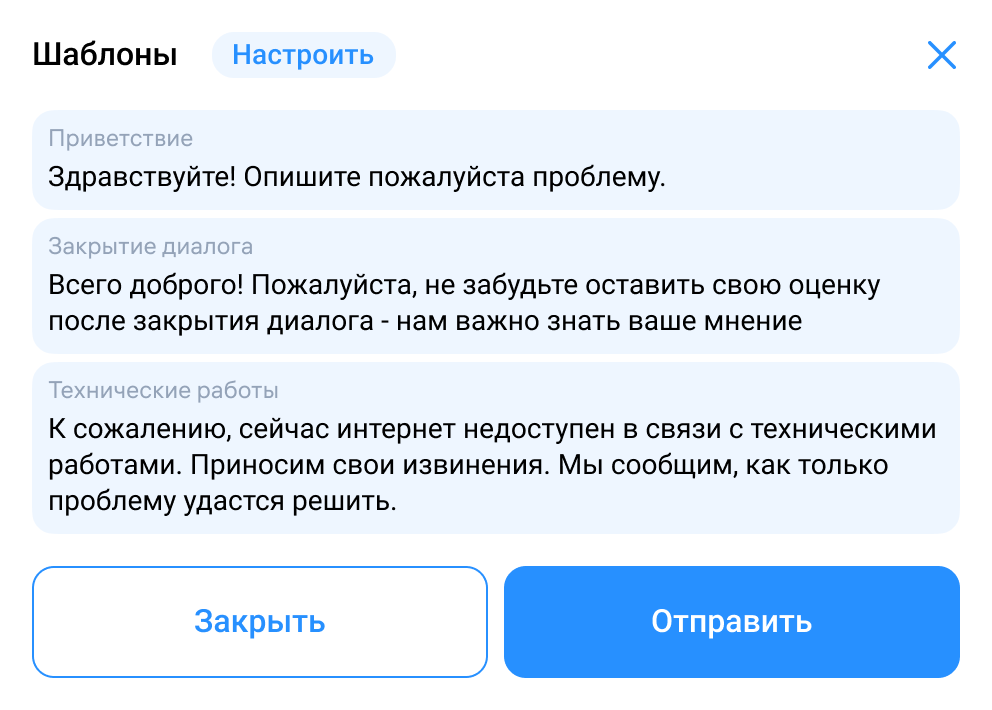
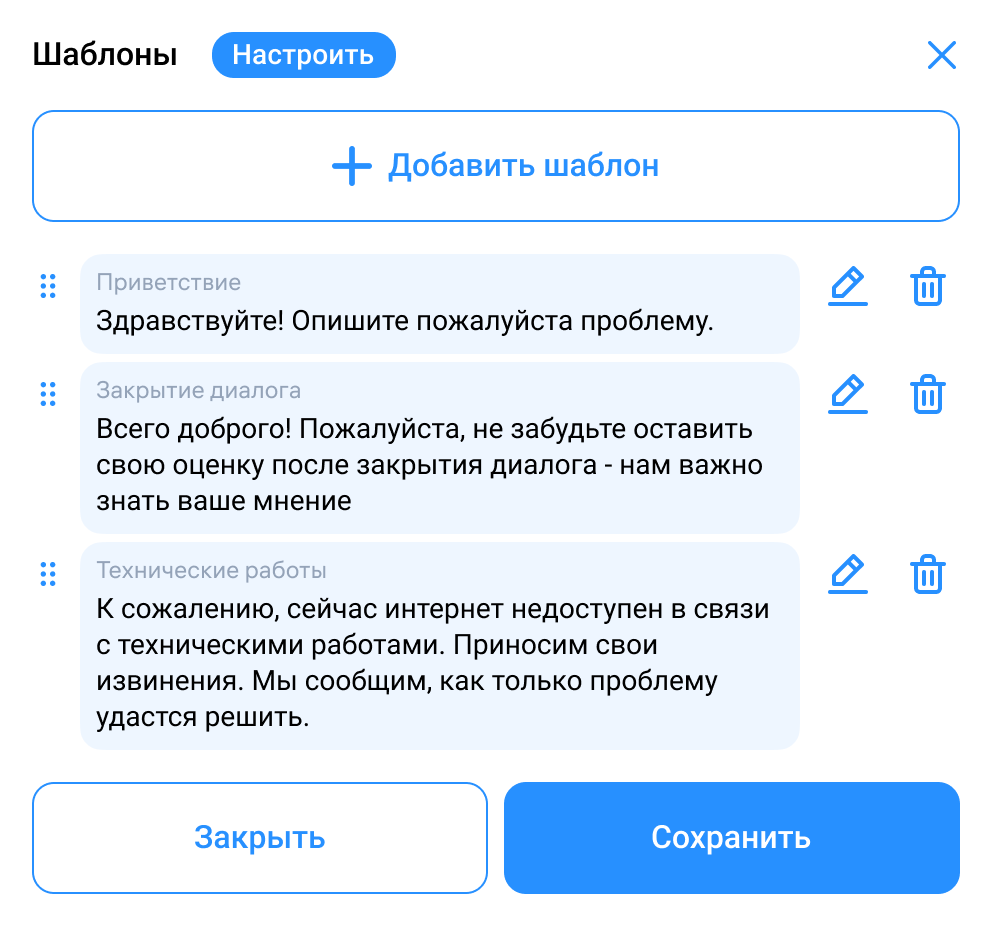
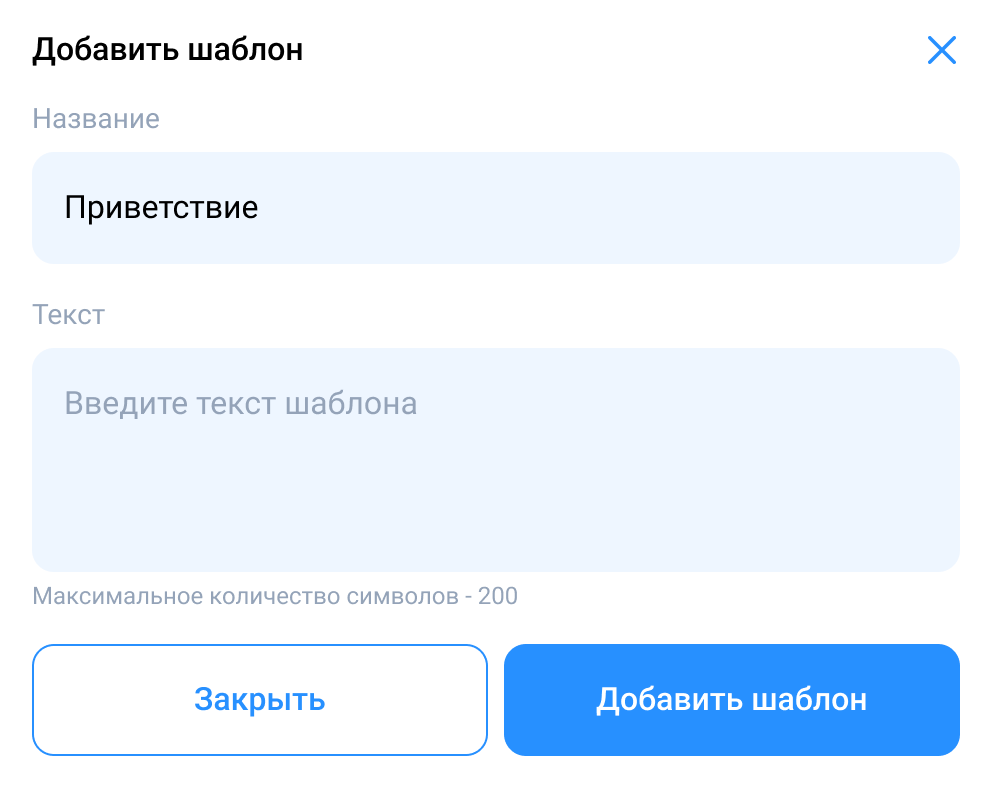
Frequently used replies reduce repetitive typing and help maintain consistency.
Request categorisation
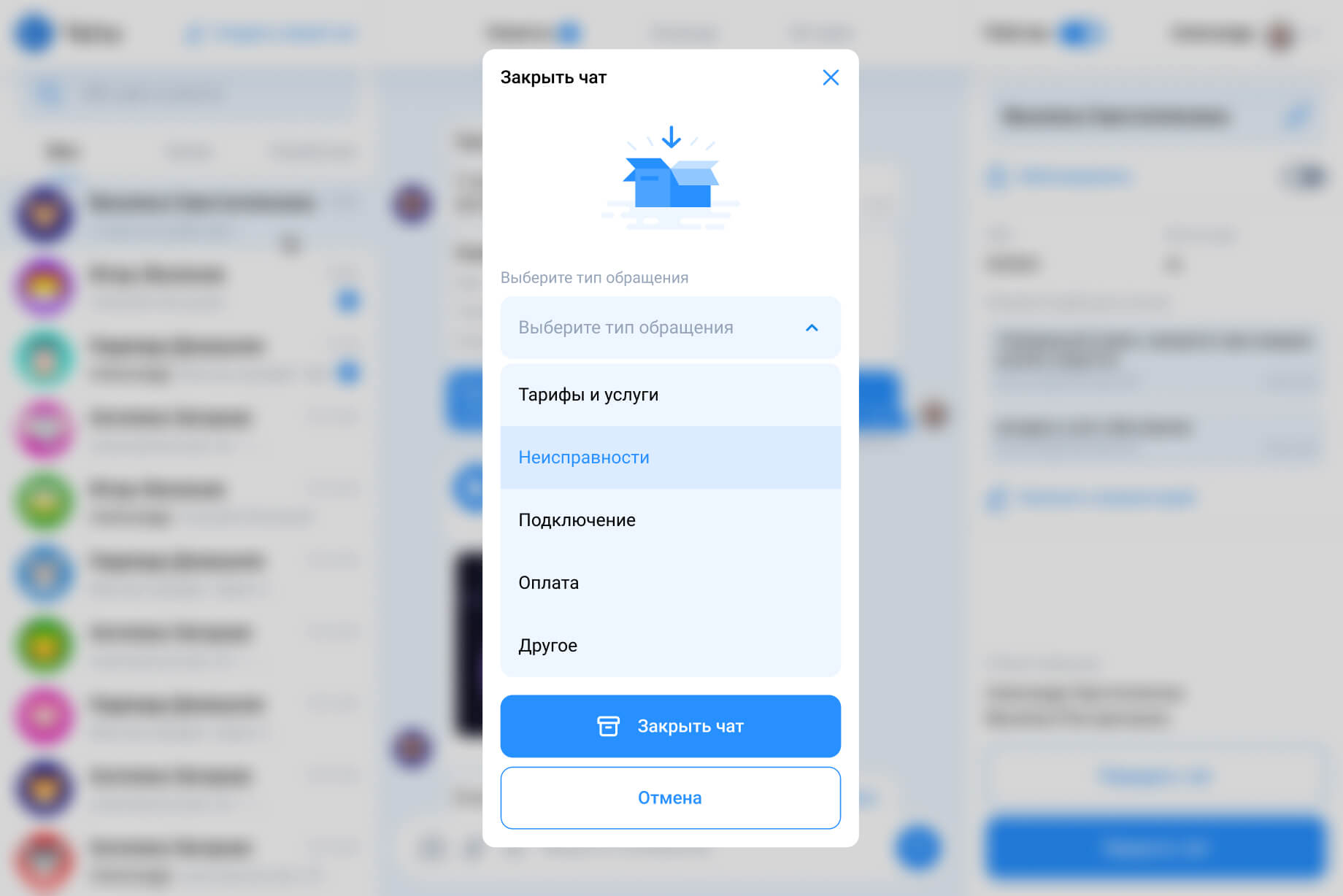
The actual reason for contact is selected when the conversation is closed—when the operator already understands what happened.
Searchable history
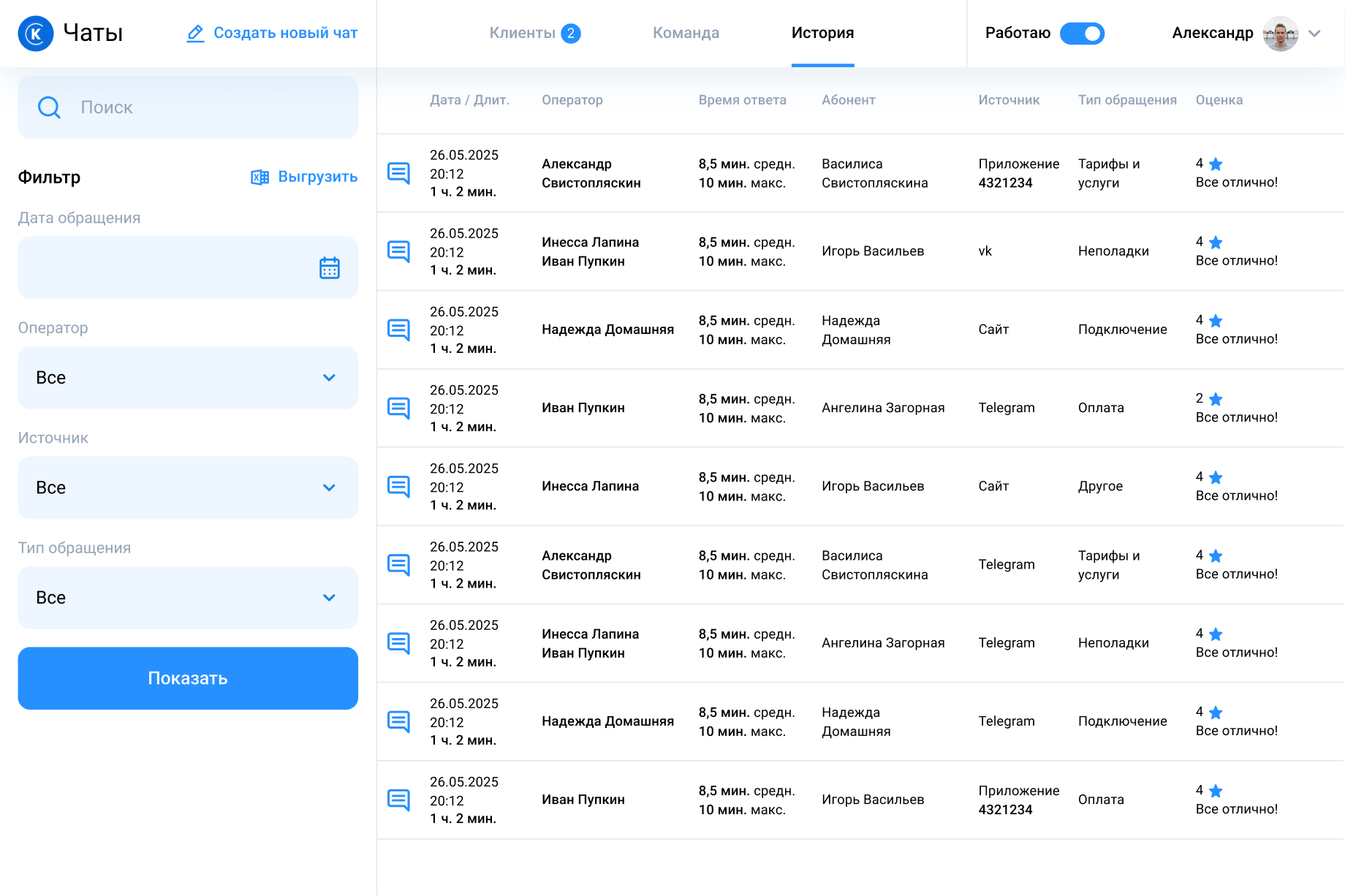
Managers can filter conversations by date, source, operator, category, and customer rating.
Request categorisation
The default process manages itself. Human control remains available when the situation is not standard.
Automatic distribution
New requests are assigned according to operator availability and current workload.
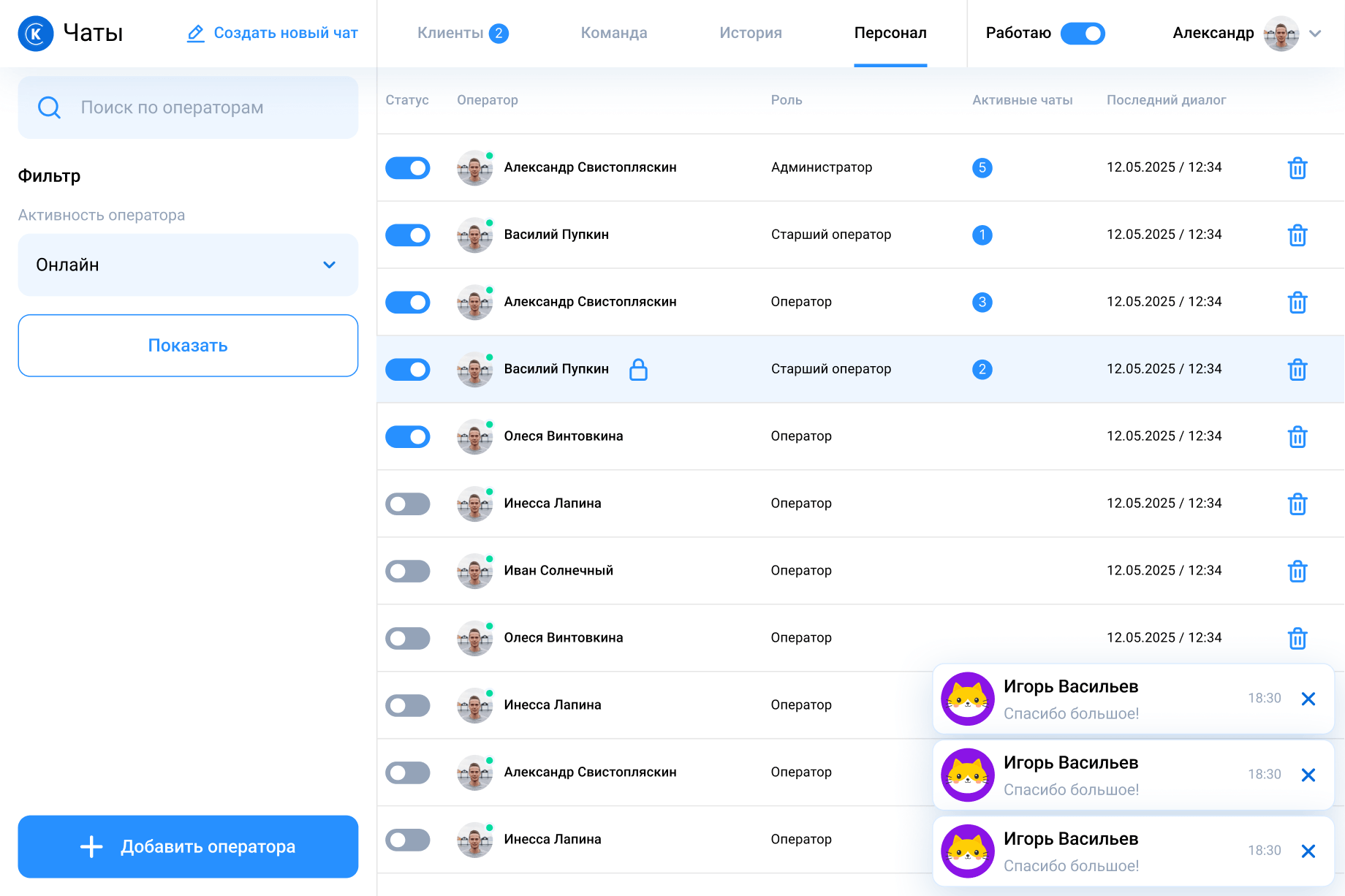
Working status
Operators join or leave the assignment queue through one clear status. They cannot go offline while still responsible for active conversations.
Manual control for exceptions
Мanagers can reassign a request when it requires a particular specialist, while routine distribution remains automatic.
Automatic distribution
New requests are assigned according to operator availability and current workload.
Working status
Operators join or leave the assignment queue through one clear status. They cannot go offline while still responsible for active conversations.
Manual control for exceptions
Мanagers can reassign a request when it requires a particular specialist, while routine distribution remains automatic.
Internal communication and customer context
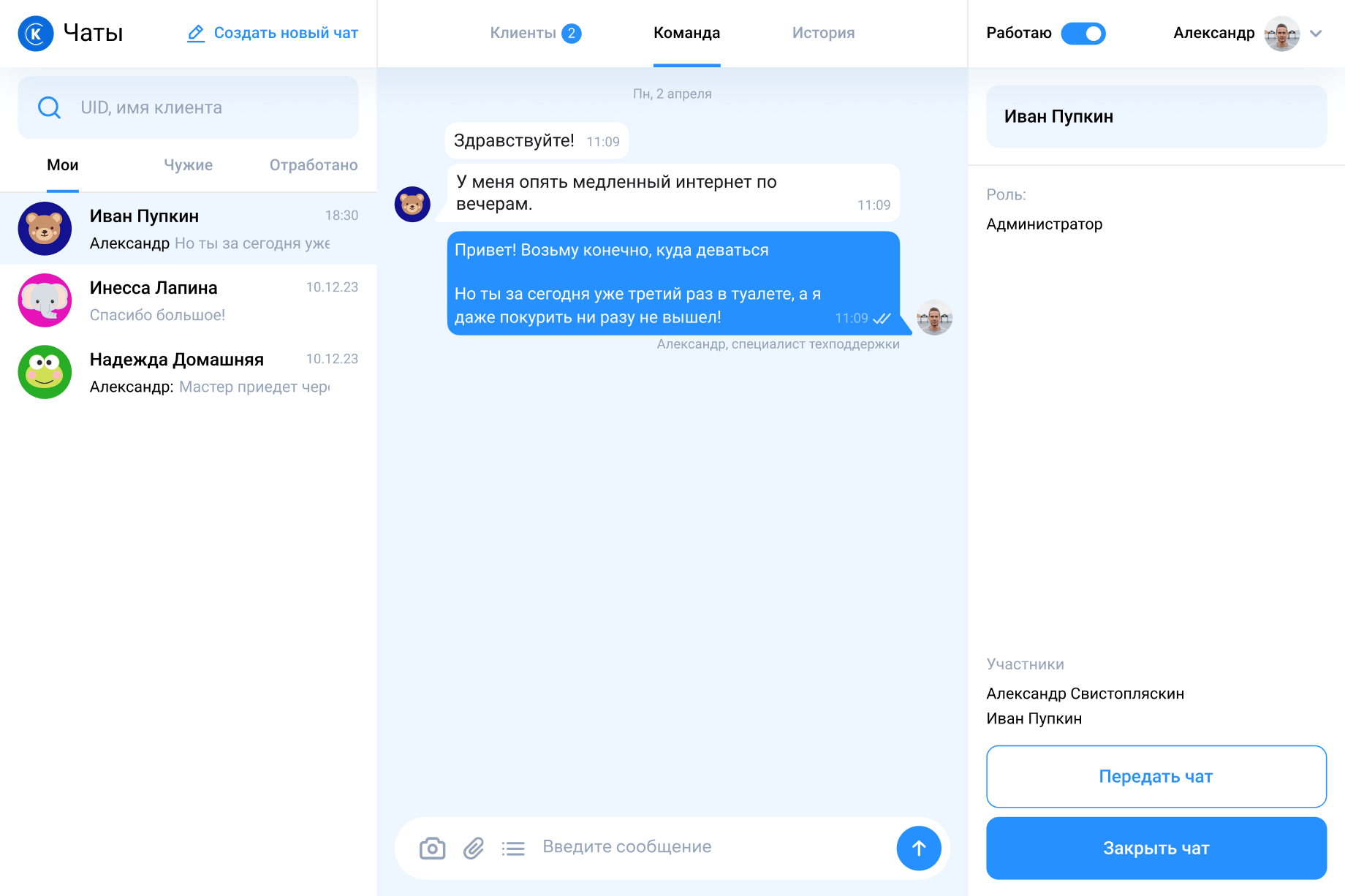
The support team needed to discuss more than individual customer requests: shifts, incidents, unfamiliar problems, and internal processes.
That is why team communication was separated from customer conversations rather than placed inside the same message stream.
Client-specific notes remain in the subscriber panel, while broader internal communication lives in the dedicated Team workspace.
Clear channel separation
Internal messages cannot be confused with replies to a customer.
Team collaboration
Employees can involve colleagues without moving the discussion to an external messenger.
That is why team communication was separated from customer conversations rather than placed inside the same message stream.
Client-specific notes remain in the subscriber panel, while broader internal communication lives in the dedicated Team workspace.
Clear channel separation
Internal messages cannot be confused with replies to a customer.
Team collaboration
Employees can involve colleagues without moving the discussion to an external messenger.
The first version was too compact
The initial interface was designed for the minimum desktop resolution provided by the client. Everything fitted neatly into three columns. From a layout perspective, the solution worked.
But after launch, operators told us that the interface felt too small for continuous use. They were not opening the product for a quick task. They were spending an entire shift reading messages, checking customer details, and moving between conversations.
But after launch, operators told us that the interface felt too small for continuous use. They were not opening the product for a quick task. They were spending an entire shift reading messages, checking customer details, and moving between conversations.
Before
Designed to fit the smallest available operator screen.
Designed to fit the smallest available operator screen.
The workspace was technically usable, but too compact for prolonged professional use.
We increased the scale of:
Larger controls and text improved readability without changing the familiar three-column structure.
After
A familiar support experience for customers
Customers could start a conversation through the website widget or directly inside the company’s Android and iOS applications.
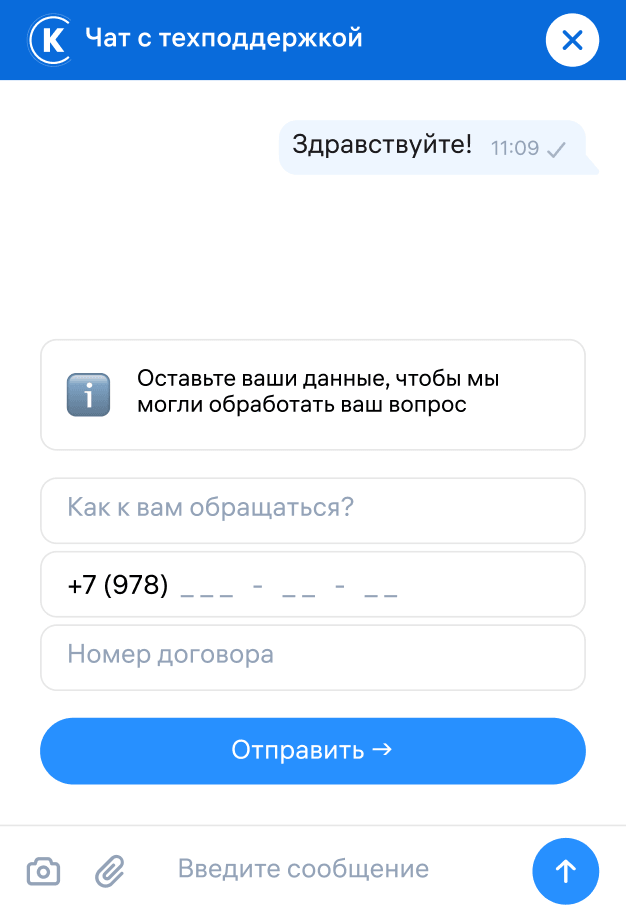
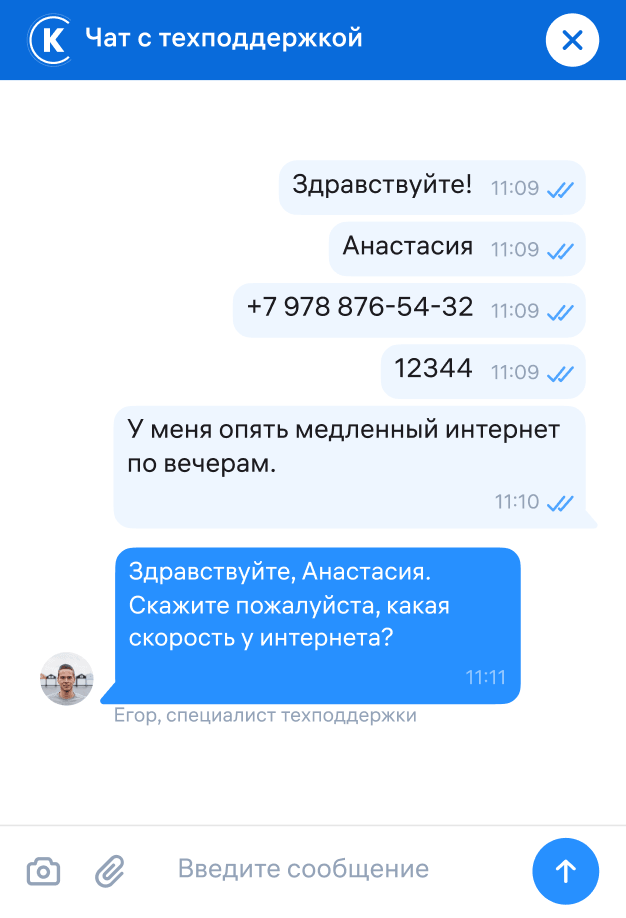
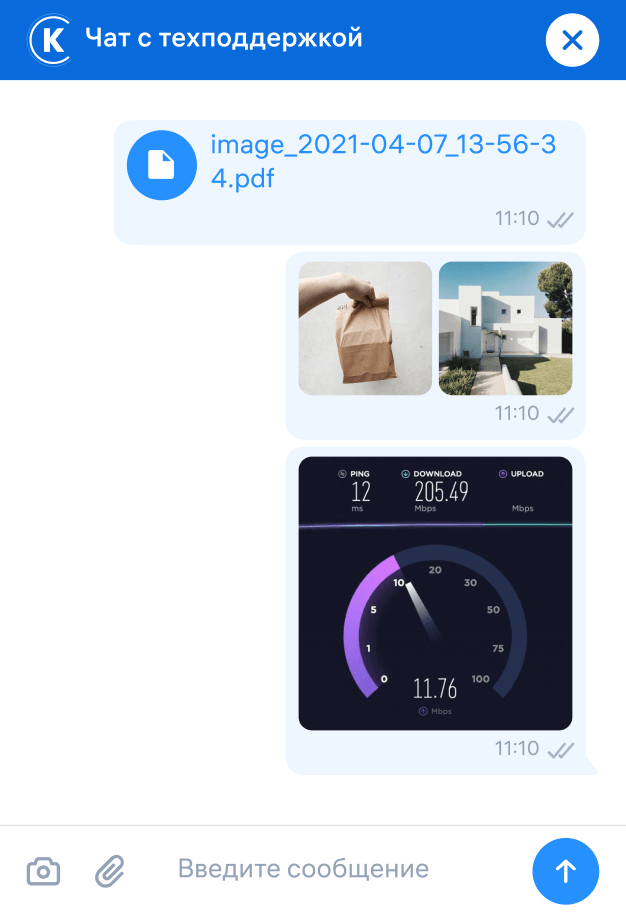
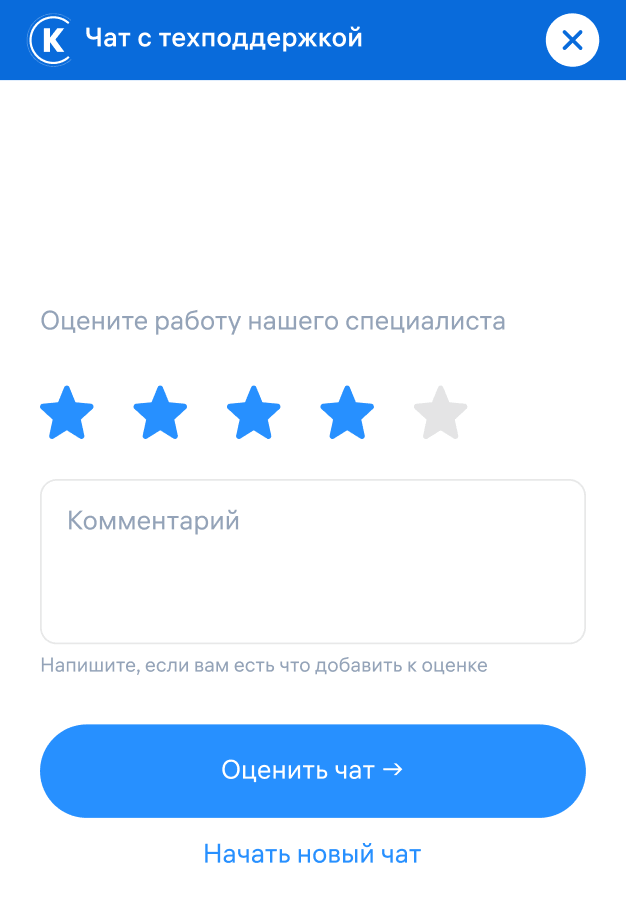
For the website, I used familiar messenger patterns so that subscribers could immediately understand how to interact with the service:
The goal was not to expose the complexity of the support system. From the customer’s perspective, asking for help should remain simple.
Mobile application
Inside the mobile application, the chat already knows which authorised subscriber is contacting support. The user does not need to repeat their contract details, while the operator receives a more reliable identity and conversation history than from an unauthorised external source.
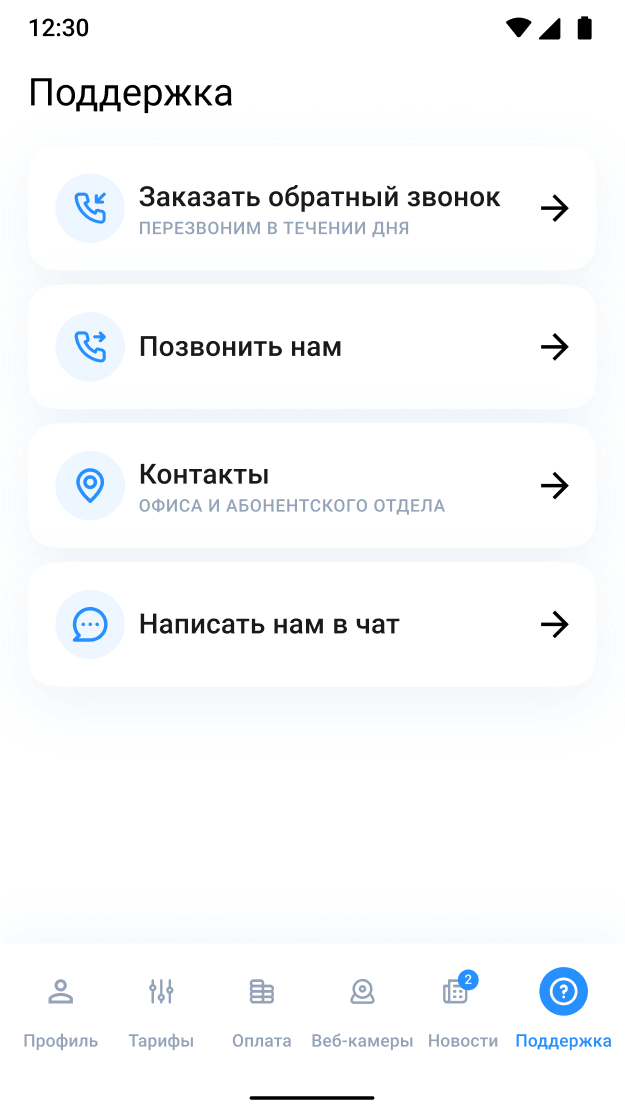
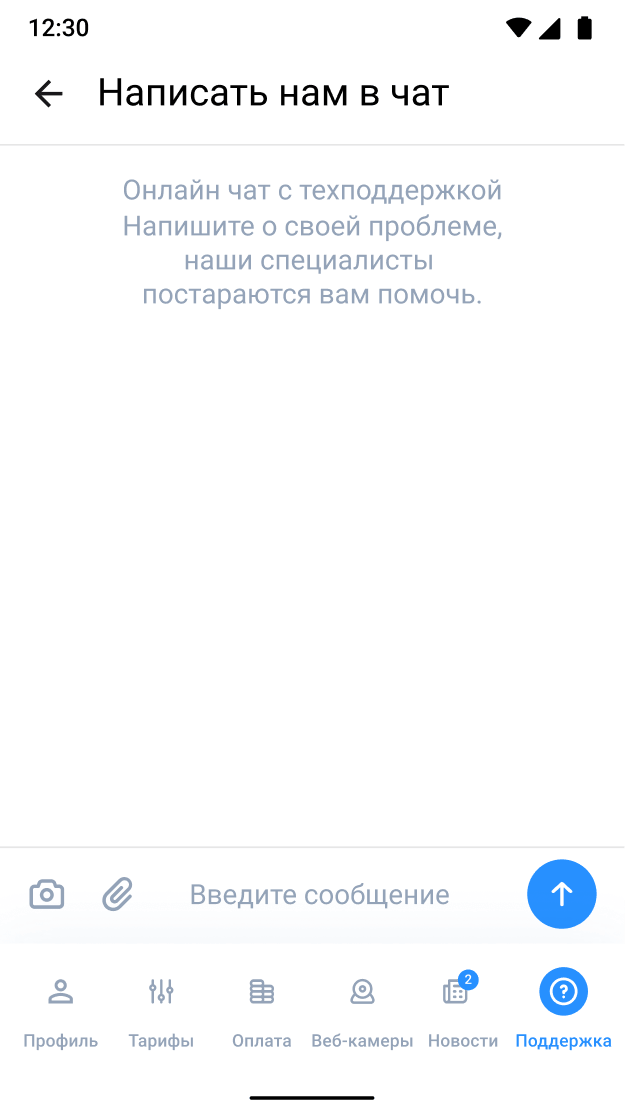
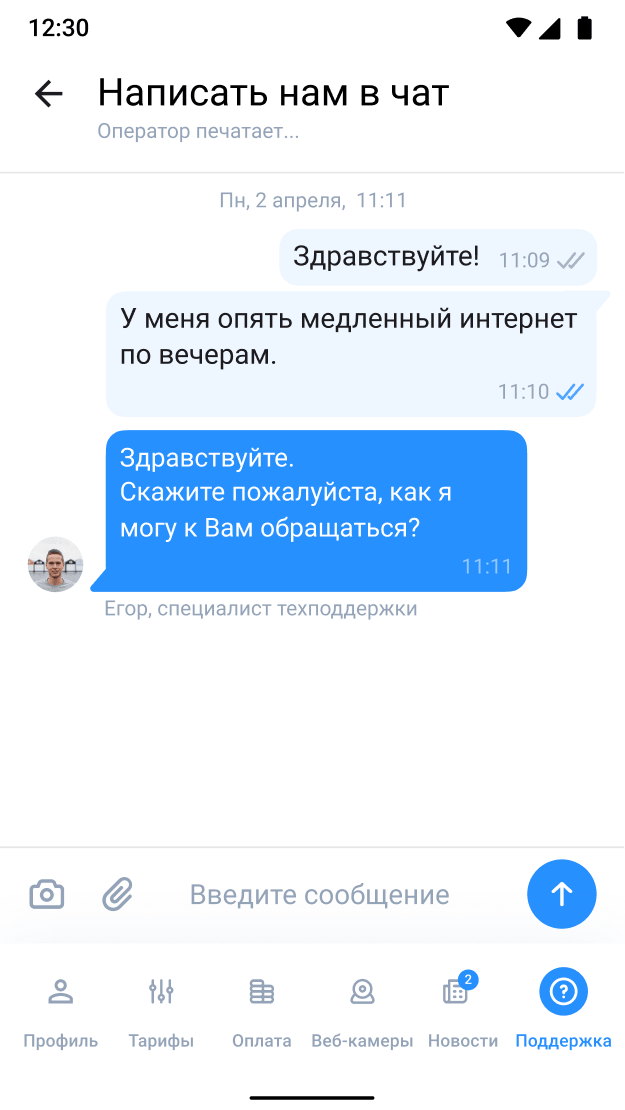
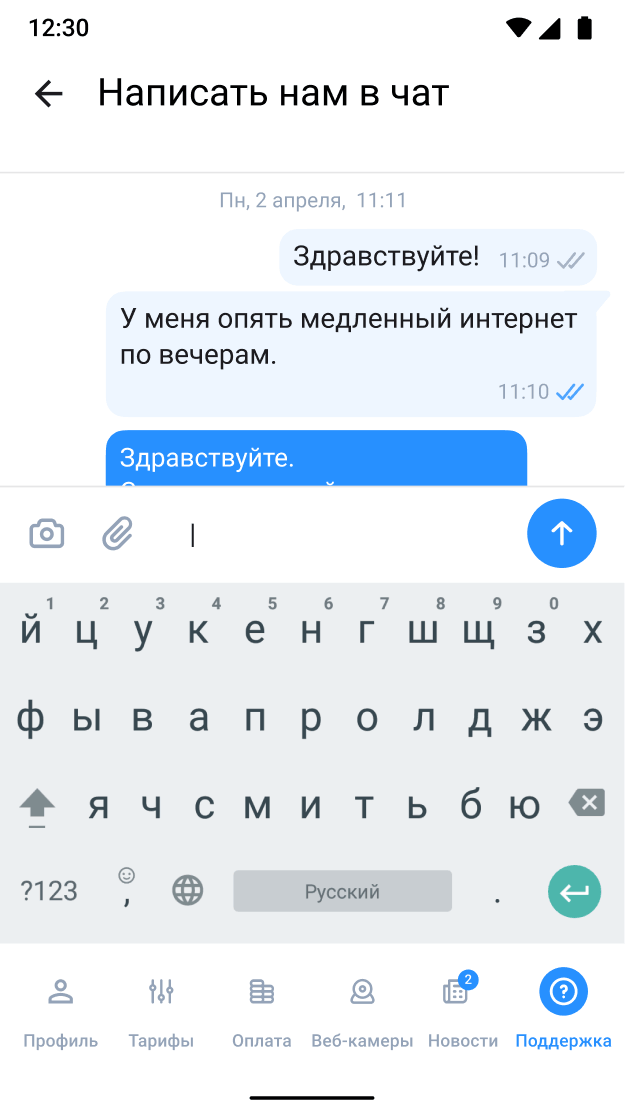
Authentication turned the mobile chat from a generic contact form into a support channel connected to the subscriber’s account.
Outcomes
The provider has processed more than 31,000 customer requests since May 2025. Its support team handles around 100 conversations per day.
One workspace instead of separate channel tools
Website, mobile application, VK, and Telegram requests now enter the same operator environment.
Website, mobile application, VK, and Telegram requests now enter the same operator environment.
Improved through real use
Production feedback led to:
The companies did not collect comparable before-and-after metrics. Improvements in response speed, missed requests, and customer satisfaction are based on feedback from operators and management.
Production feedback led to:
- a larger and more comfortable workspace;
- improvements to translation;
- response templates;
- notification refinements;
- smaller interaction and workflow corrections.
The companies did not collect comparable before-and-after metrics. Improvements in response speed, missed requests, and customer satisfaction are based on feedback from operators and management.
My contribution was turning those technical and operational requirements into one coherent experience:
The result was a working support environment built around how the team actually solves customer problems.
